Hometown Cafe App

The Hometown Cafe app is a go-to app for a warm and inviting culinary journey. Whether you are a foodie craving new flavors or a busy individual craving special café delights without the hassle, our app has got you covered. 

Overview

The Problem

Busy workers and users who order for groups lack the time necessary to order in person.

The Goal

Design an app for Hometown Café that allows users to easily order and pick up fresh, healthy delights.

Project Scope

Design Hometown Cafe mobile app

Tool Used

Figma

Role

UX designer designing an app for Hometown Cafe App from conception to delivery.

Duration

July 2023 to August 2023

Understanding the user

User research: summary

I conducted interviews and produced empathy maps. Working people who don’t have time to prepare their own delights and order for groups were one of the main user groups discovered through research. 

This user group confirmed initial assumptions about Hometown Café App customers, but research
also revealed that time was not the only factor limiting users from going to cafes.
Other user problems included obligations, interests, or challenges that make it
difficult to go all the way to restaurants in person. 

User pain points

  1. Time: Working adults are too busy to spend time in a queue
  2. Accessibility: Platforms for ordering food are not equipped with assistive technologies
  3. Legibility: Text-heavy menus in apps are often difficult to read and order from

  • User research
  • Personas
  • Problem statements
  • User Journey Maps

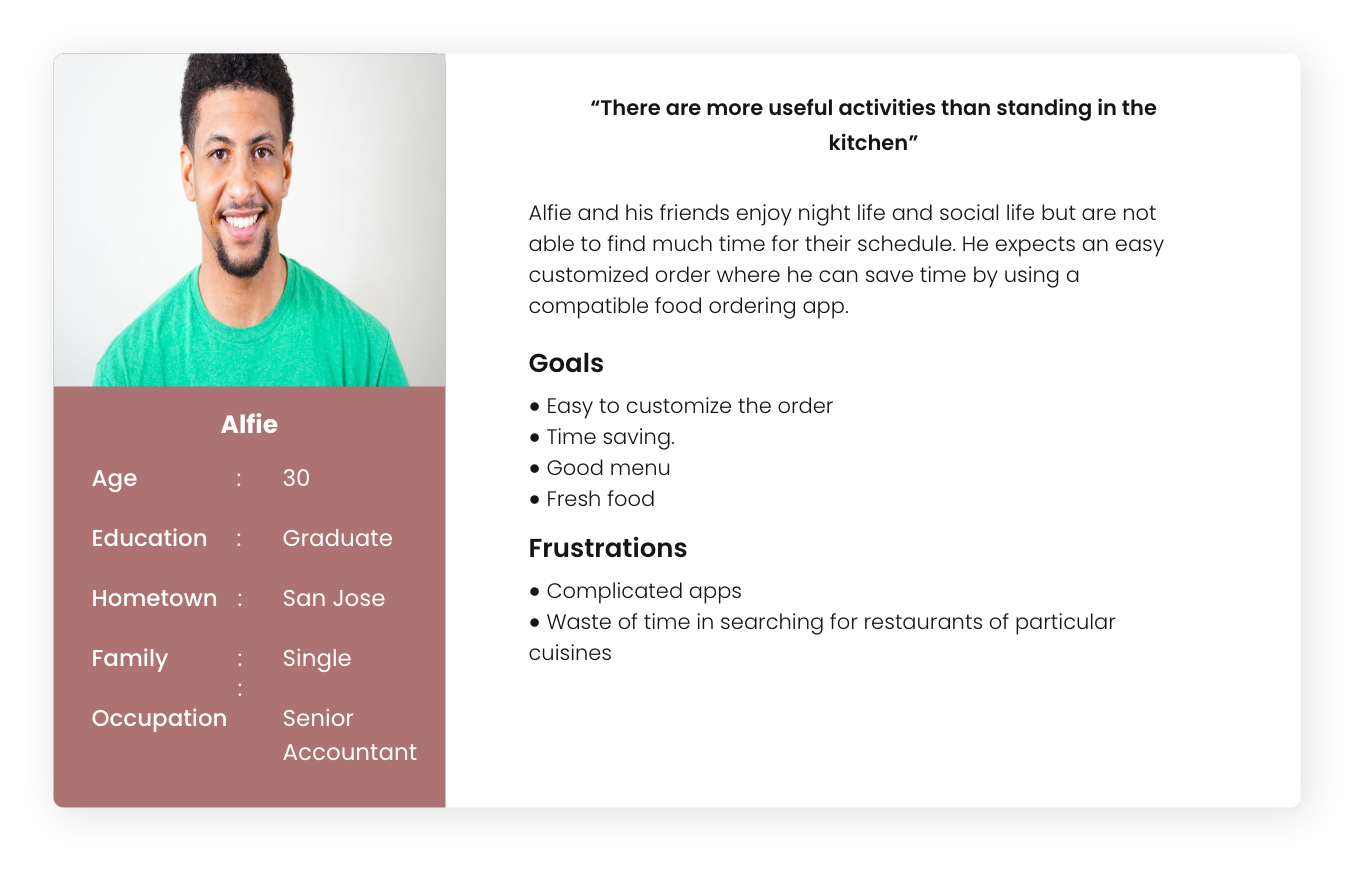
Persona 1: Alfie

Problem statement: Alfie is a busy working
adult who needs easy access to healthy food ordering options because he wants to save time by using a compatible food ordering app.

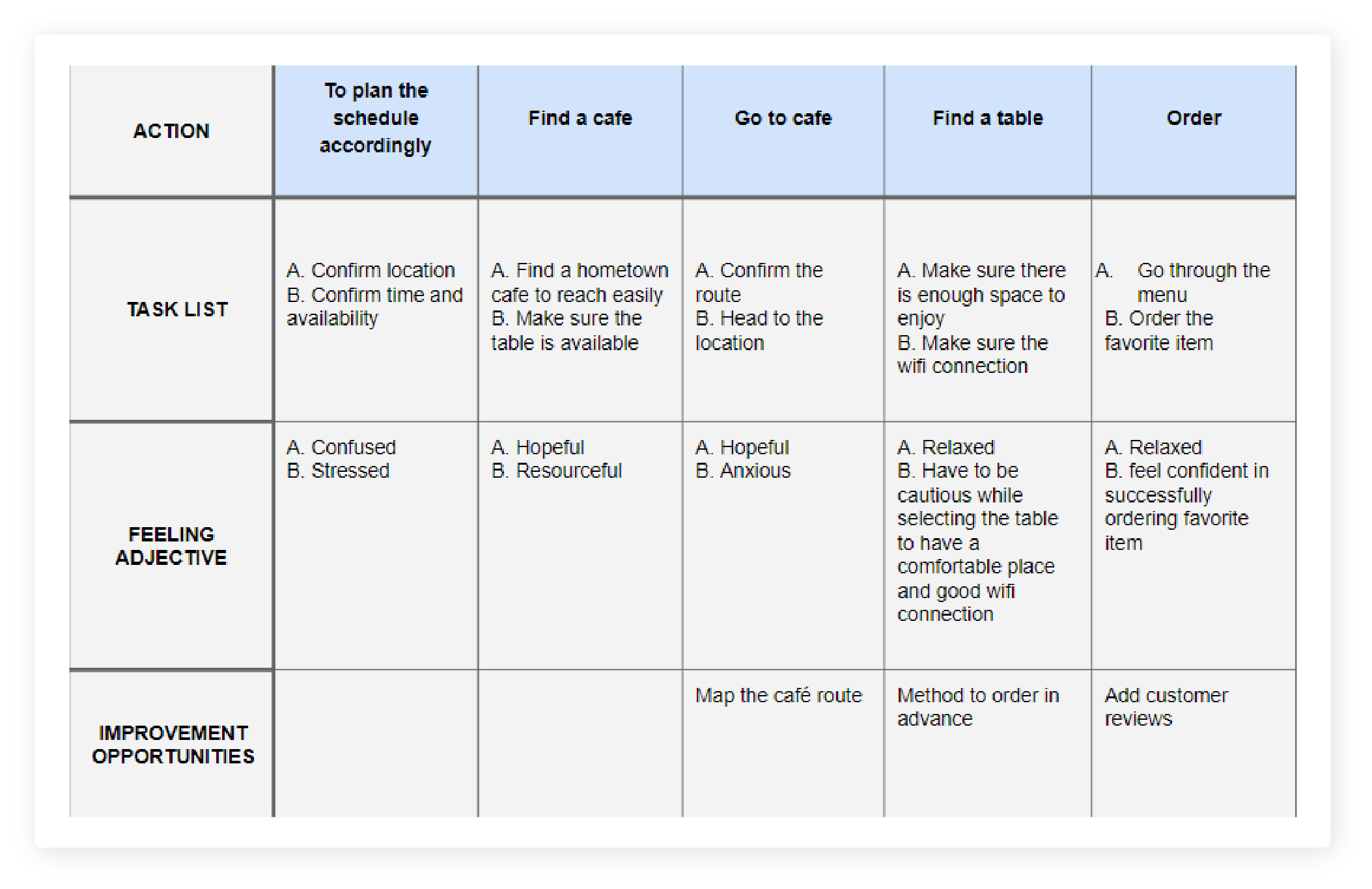
User journey map

Mapping Alfies user journey revealed how helpful it would be for users to have access to a dedicated Hometown Cafe app.

Home town cafe- User journey map

Starting the design

  • Paper wireframes
  • Digital wireframes
  • Low-fidelity prototype
  • Usability studies

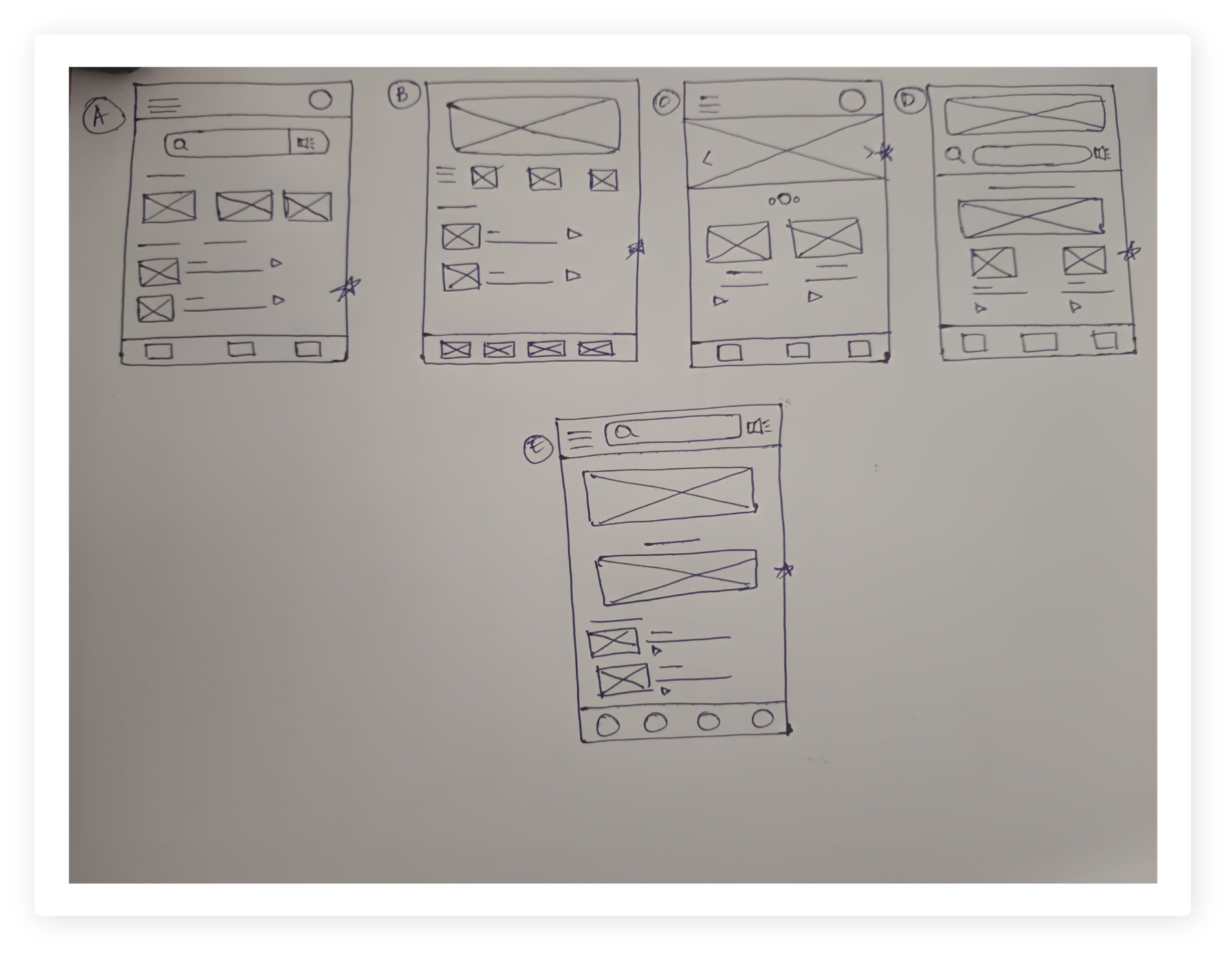
Paper wireframes

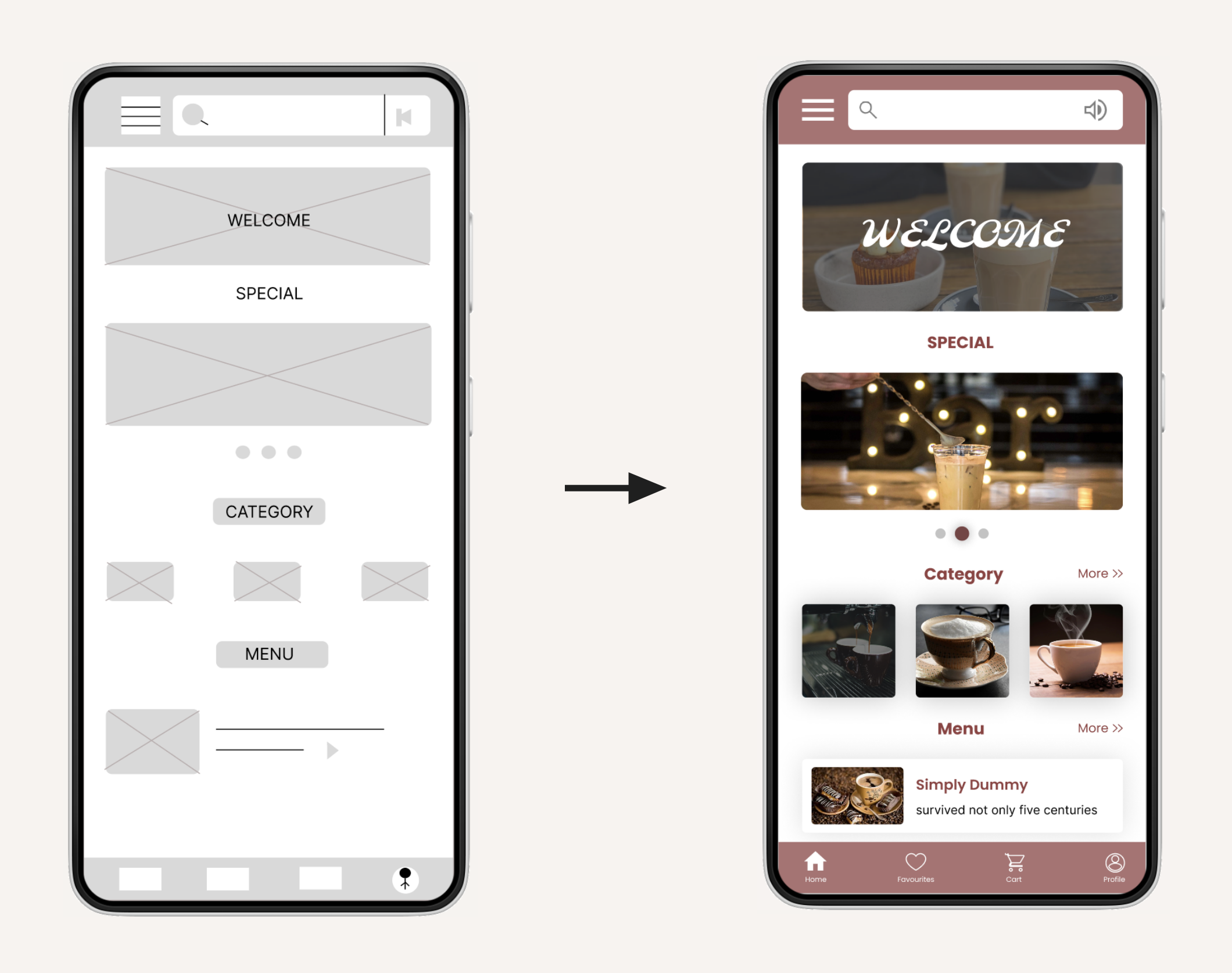
Taking the time to draft iterations of each screen of the app on paper ensured that the elements that made it to digital wireframes would be well-suited to address user pain points. For the home screen, I prioritized a quick and easy ordering process to help users save time. 

  • Paper wireframes
  • Digital wireframes
  • Low-fidelity prototype
  • Usability studies
Home town Cafe- paper wireframes
Star is used to mark elements added in the final design.

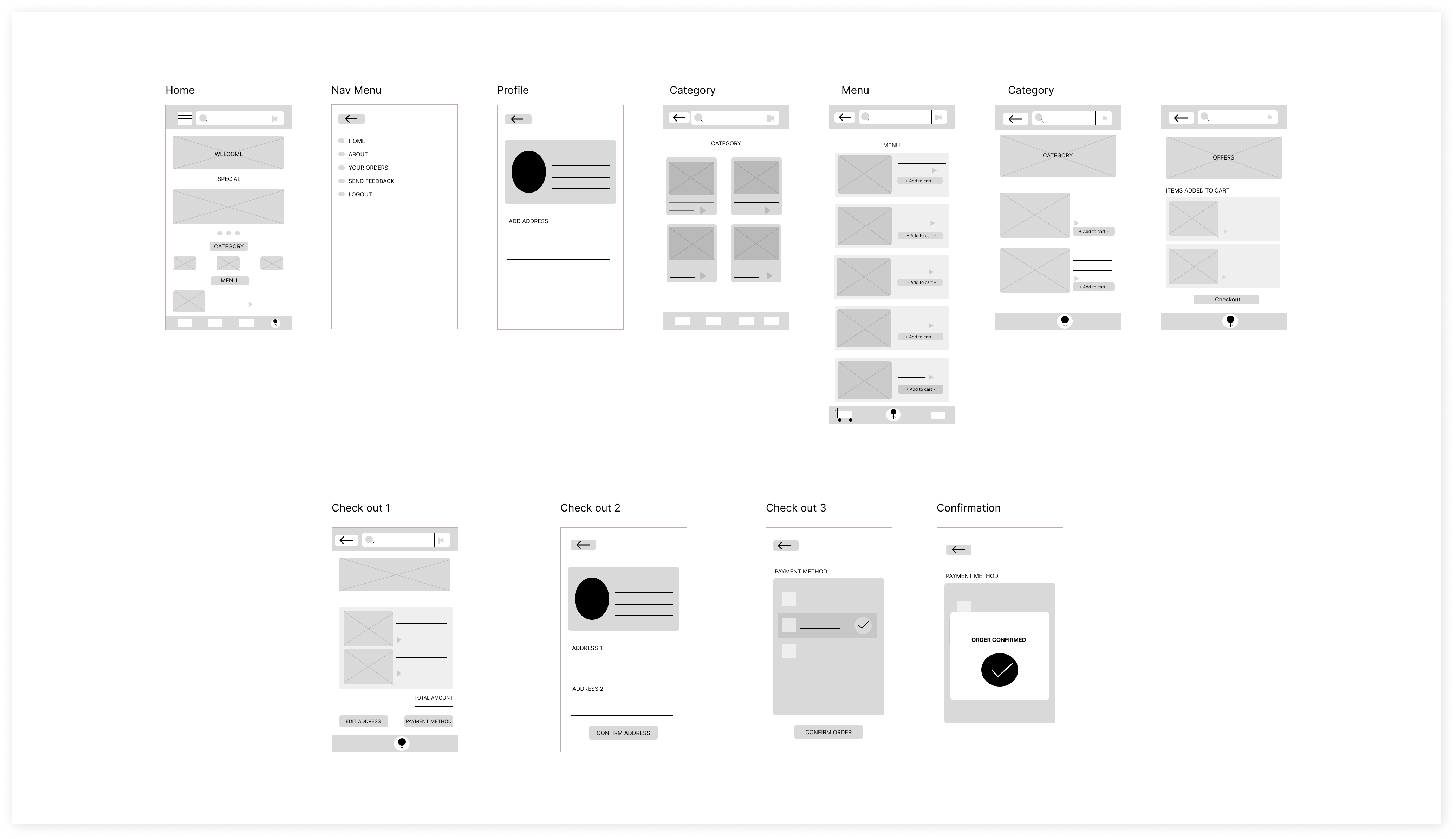
Digital wireframes

As the initial design phase continued, I made sure to base screen designs on feedback and findings from  the user research.
Easy navigation was a key user need to address in the designs in addition to equipping the app to work with assistive technologies.
Digital Wirframes- hometown cafe

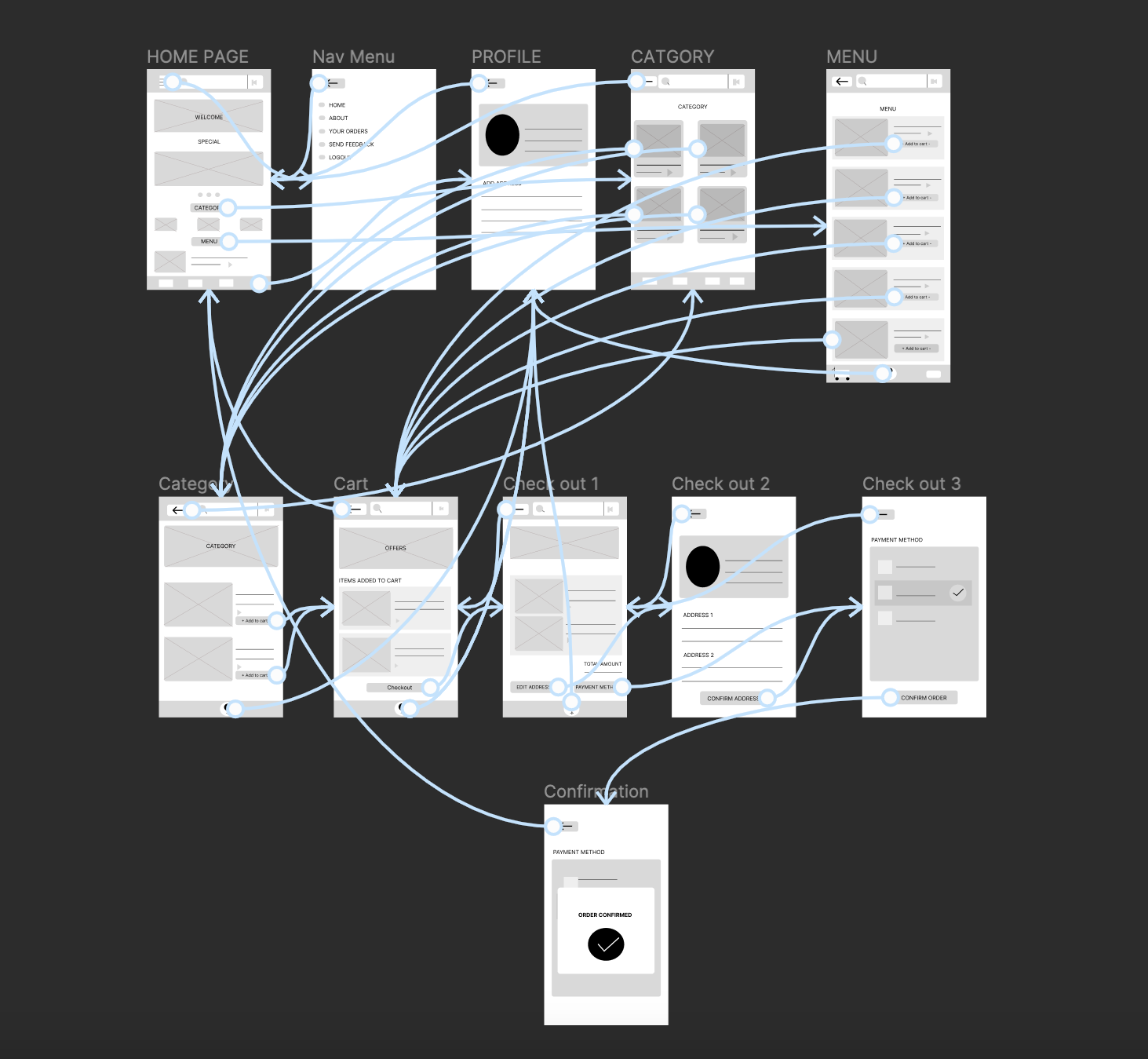
Low-fidelity prototype

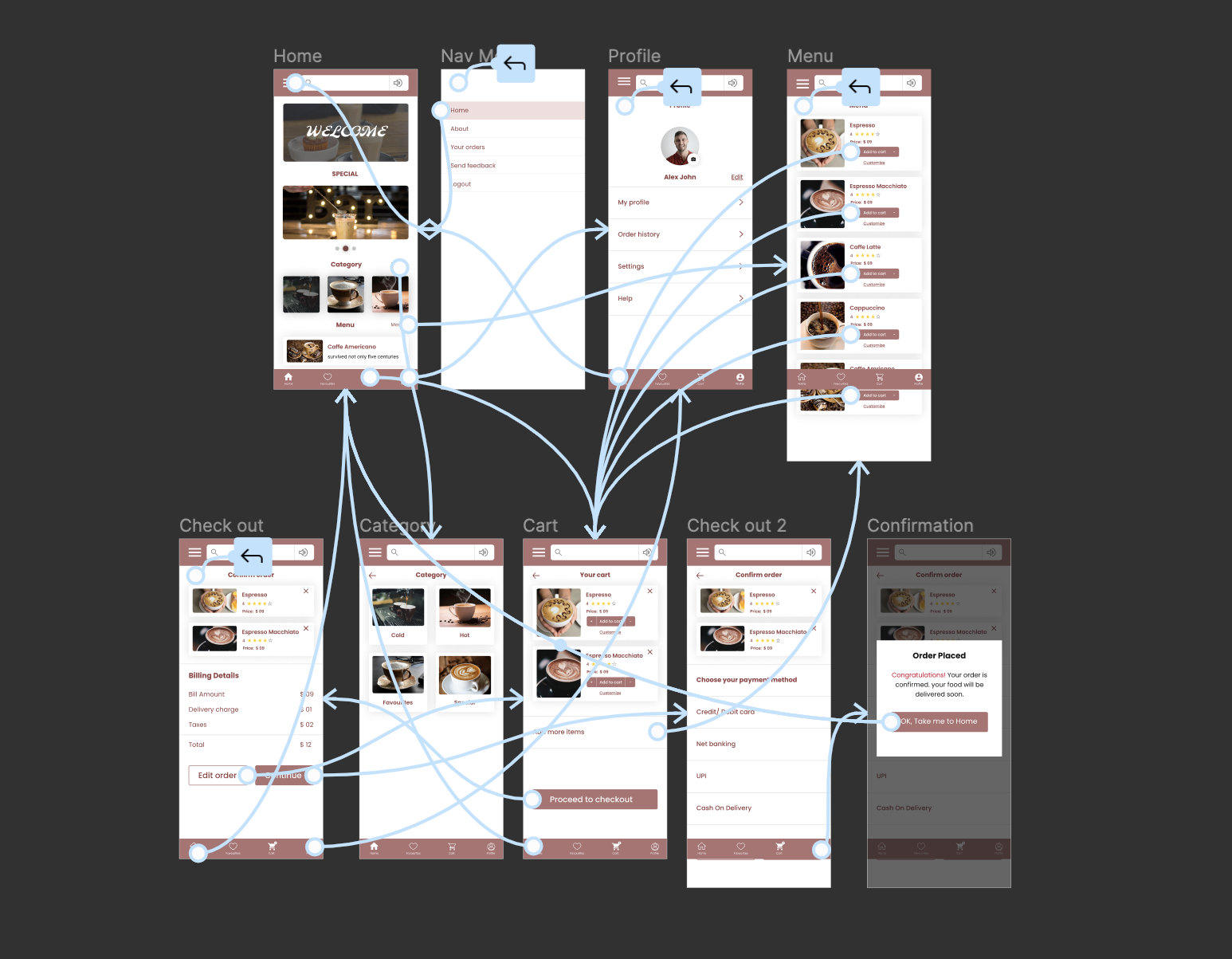
Using the completed set of digital wireframes, I created a low-fidelity prototype. The primary user flow I connected with was ordering a coffee, so the prototype could be used in a usability study. 

Lofi prototype- Hometown cafe

Usability study: findings

I conducted two rounds of usability studies. Findings from the first study helped guide the designs from wireframes to mockups. The second study used a high-fidelity prototype and revealed what aspects of the mockups needed refining. 

Round 1 findings

  1. Users want the option of special items in detail.

  2. Users want more customization options.

  3. Users found the checkout to be confusing

Round 2 findings

  1. Users finds the need to add customer reviews.

  2. Users want the option of rating the items.

Refining the design

  • Mockups
  • High-fidelity prototype
  • Accessibility

Mockups

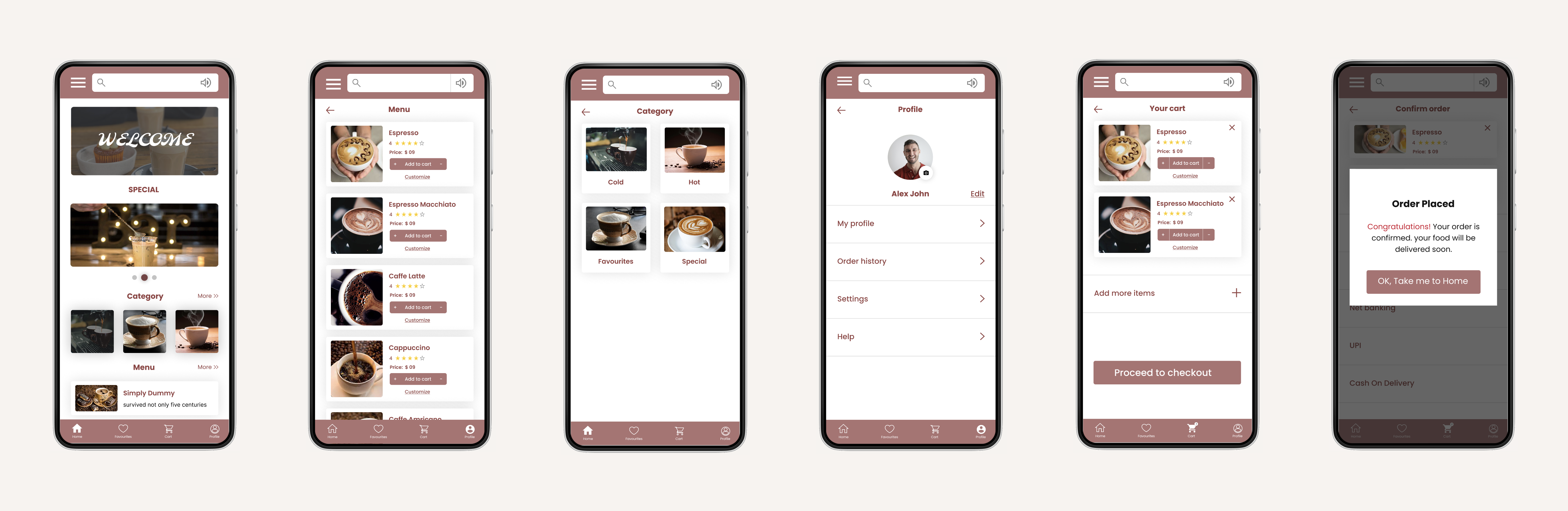
Early designs allowed access to the menu but after the usability studies, I added an additional button for special items of the day. I also revised the design so users find the navigation to be easy. 

  • Mockups
  • High-fidelity prototype
  • Accessibility
Hometown cafe app- Mockup 1

Key mockups

High-fidelity 
prototype

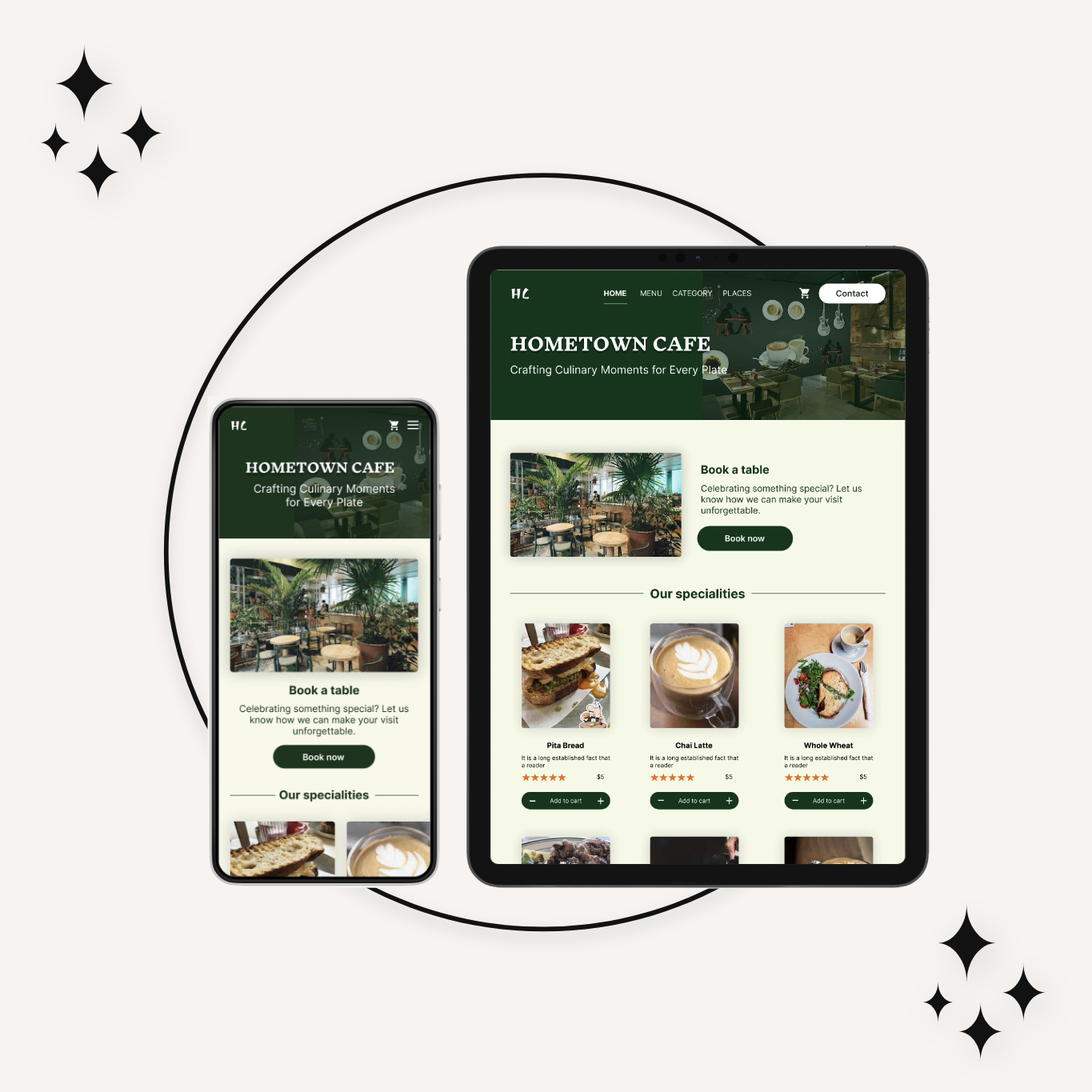
The final high-fidelity prototype presented cleaner user flows for ordering and checkout. It also met user needs for a pickup or delivery option as well as more customization.

Hifi prototype- Hometown cafe

Accessibility considerations

1

Provided access 
to users who are vision impaired through adding a play button to listen to the texts.

2

Used icons to 
help make 
navigation easier.

3

Used different options like categories, special items, and menus so that the users can save time.

Going forward

  • Takeaways
  • Next steps

Takeaways

  • Takeaways
  • Next steps

Impact

The app makes users feel like Hometown Cafe App really thinks about how to meet their needs.
One quote from peer feedback: “The app made it so easy and fun to order for a group! I would definitely use this app as a go-to for a delicious, fast, and even healthy meal.”

What I learned

While designing the Hometown Cafe app, I learned that the first ideas for the app are only the beginning of the process. Usability studies and peer feedback influenced each iteration of the app’s designs.

Next steps

1

Conduct another round of usability studies to validate whether the pain points users experienced have been effectively addressed.

2

Conduct more user research to determine any new areas of need.

View other works