CMinder App and Responsive Website

A medication reminder app is a mobile application designed to help users manage their medication schedules effectively. The app allows users to set customizable alarms and notifications for each medication dose. These reminders can be scheduled for specific times of the day or recurring intervals.

Overview

The Problem

Many individuals especially those with chronic health conditions or complex medication regimes, struggle to adhere to their prescribed medication schedules. This leads to health complications, increased healthcare costs, and decreased overall well-being.

The Goal

A user-friendly and reliable medication reminder app that helps users by providing timely and customizable medication reminders while also offering additional features to support medication management and improve overall health outcomes.

Project Scope

Design CMinder mobile app and responsive website.

Tool Used

Figma

Role

UX designer leading the app and responsive website design from conception to delivery.

Duration

August 2023 to September 2023

Understanding the user

User research: summary

I used the data from people who expressed the need for a medication reminder app to help them manage their complex medication schedule which were then used to conduct interviews. Most interview participants reported feeling badly about their challenges with memory lapses and coordinating multiple prescriptions. The feedback received through research made it very clear that users would be open and wants the ability to customize reminder settings to match their unique medication routines such as, dosages, frequency, and specific timing.

User pain points

  1. Forgetfulness: Individuals may miss doses or take medications at the wrong times due to memory lapses.
  2. Complex Medication Pattern: Some individuals have complex medication patterns involving multiple drugs, each with different dosages and timing requirements, making it difficult to keep track of them accurately.
  3. Lack of Routine: Maintaining a consistent daily routine can be challenging for people with changing work schedules or frequent travel, make it hard to remember when to take the medicine.
  • User research
  • Personas
  • Problem statements
  • Competitive audit
  • Ideation

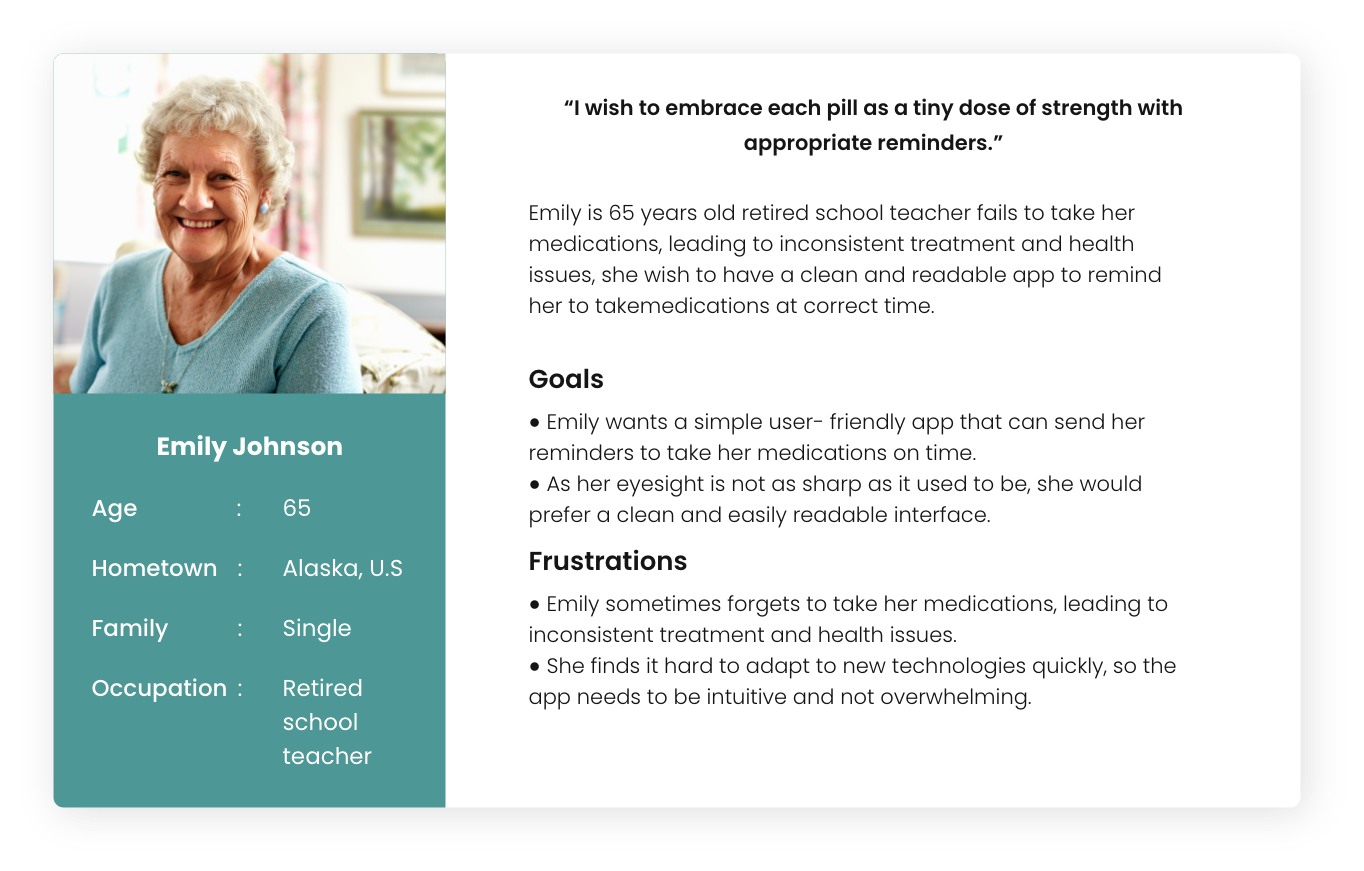
Persona 1: Emily Johnson

Problem statement: Emily is a 65 years old retired school teacher who needs an app to remind her about her medication because she is single with declining vision.

Persona Emily- CMinder

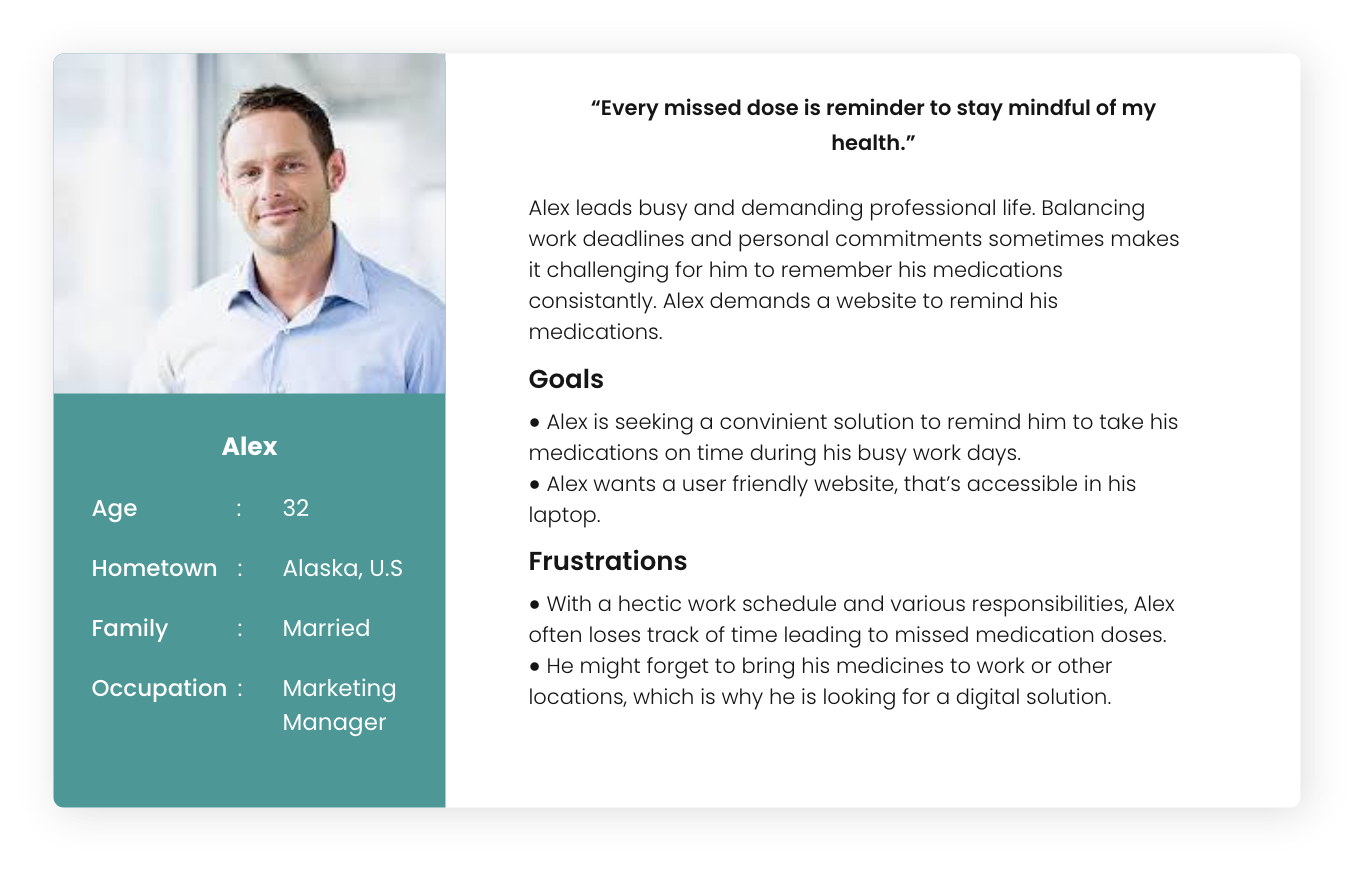
Persona 2: Alex

Problem statement: Alex is busy marketing manger who wants an effective website to remind him about medications because he often forgets it in between the busy schedule.

Persona Alex- CMinder

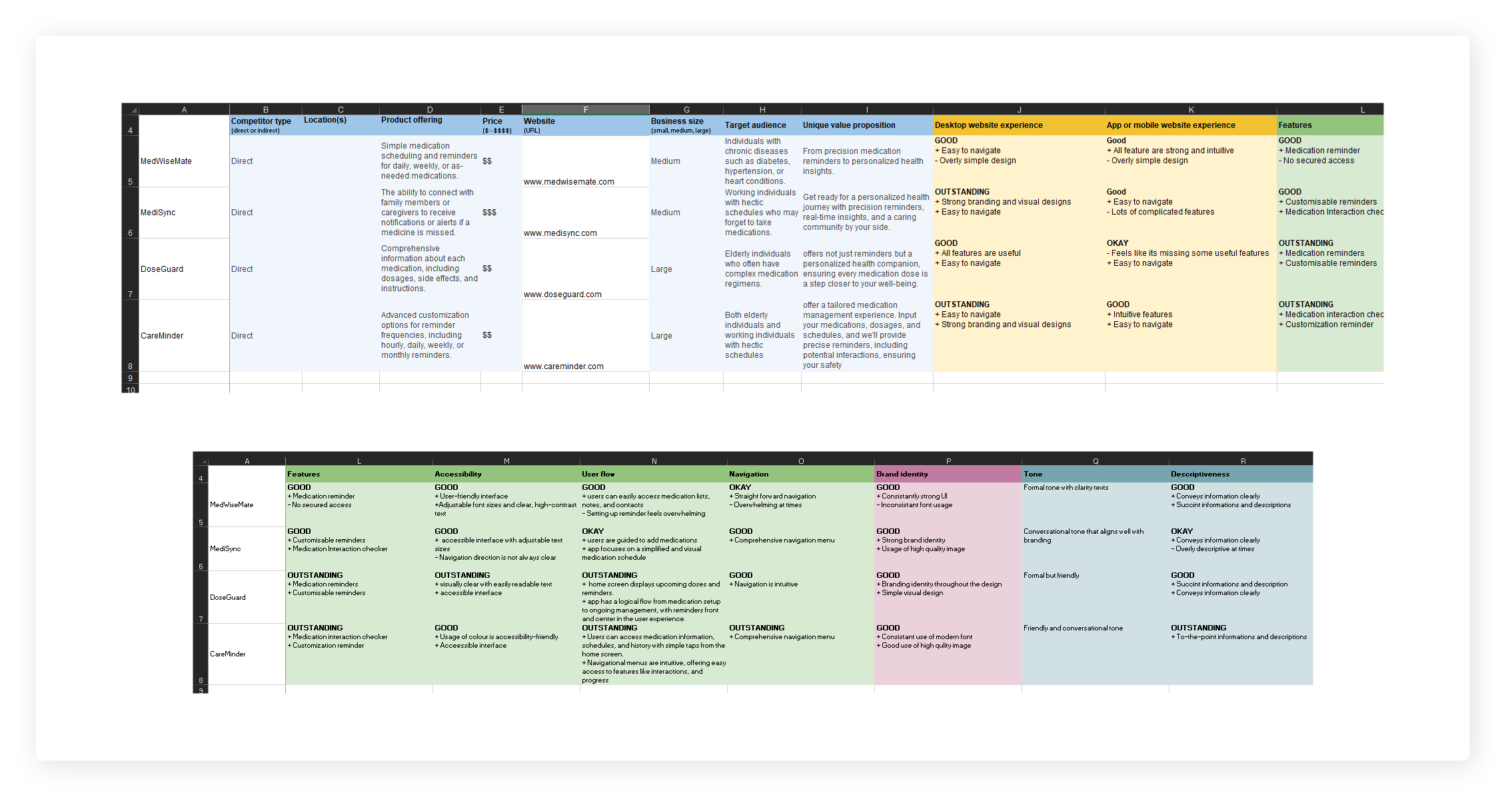
Competitive audit

An audit of a few competitor’s products provided direction on gaps and opportunities to address with the Medication Reminder App.

CMinder- Competitive audit

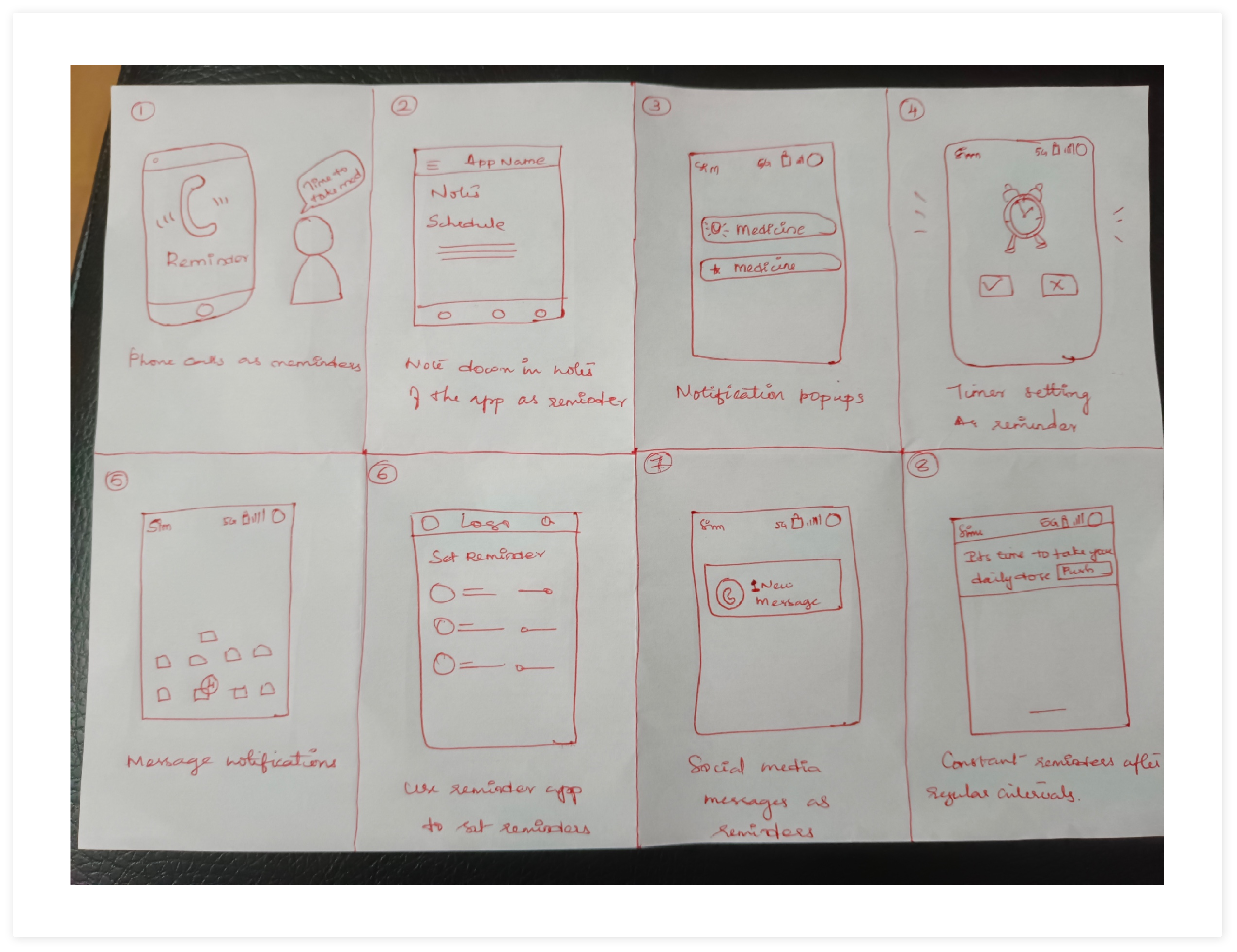
Ideation

I did a quick ideation exercise to come up with ideas for how to address gaps identified in the competitive audit. My focus was specifically on customized reminder setting and medication scheduling.

CMinder App- Ideation

Starting the design

  • Paper wireframes
  • Digital wireframes
  • Low-fidelity prototype
  • Usability studies

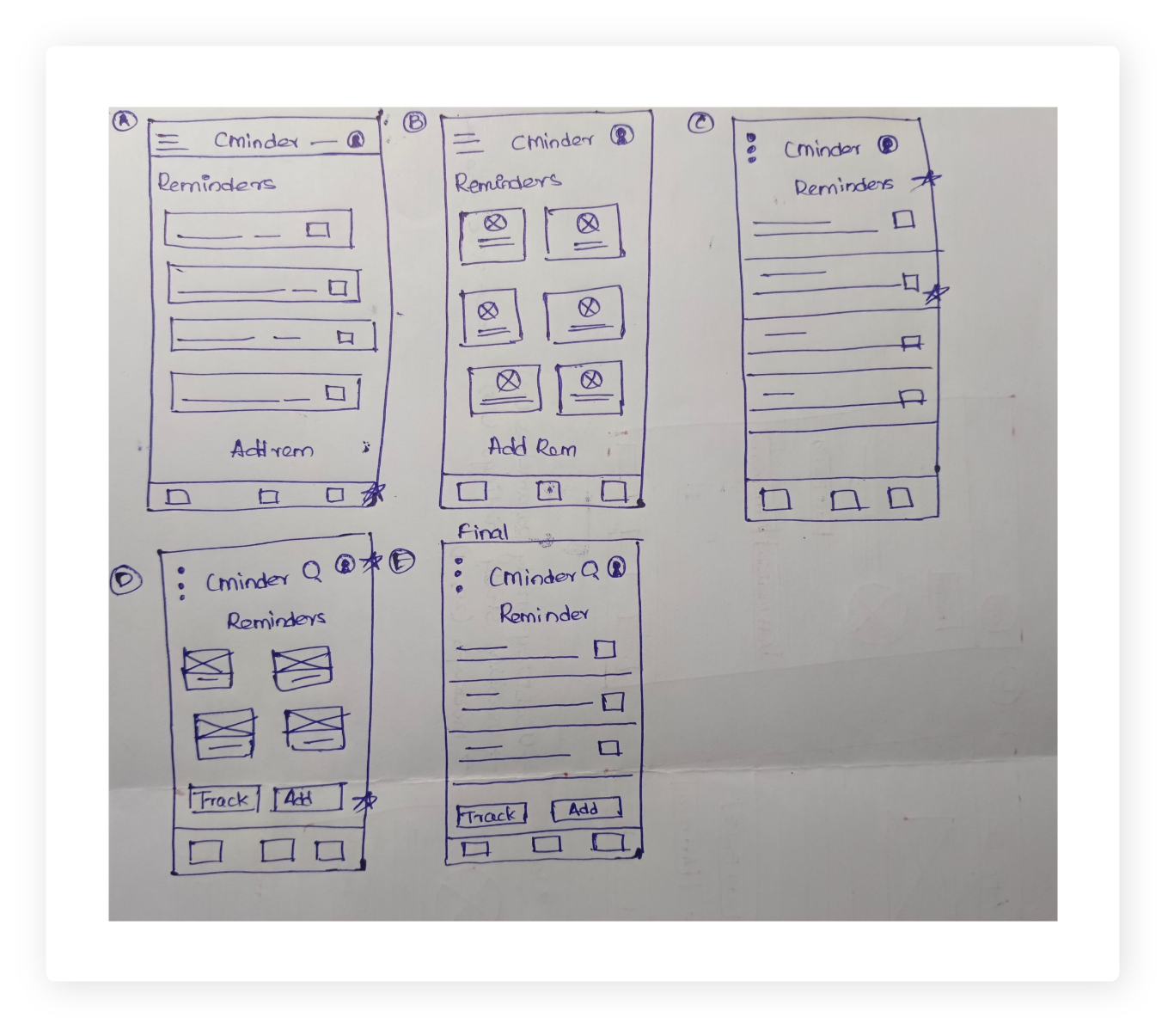
Paper wireframes

After initial study and research I created some paper wireframes for the home page of the app. Different iterations were made based on the initial research and then a screen which provides an easy and quick user flow was prioritized.

  • Paper wireframes
  • Digital wireframes
  • Low-fidelity prototype
  • Usability studies
CMinder app- Paper wireframes
Star is used to mark elements added in the final design.

Digital wireframes

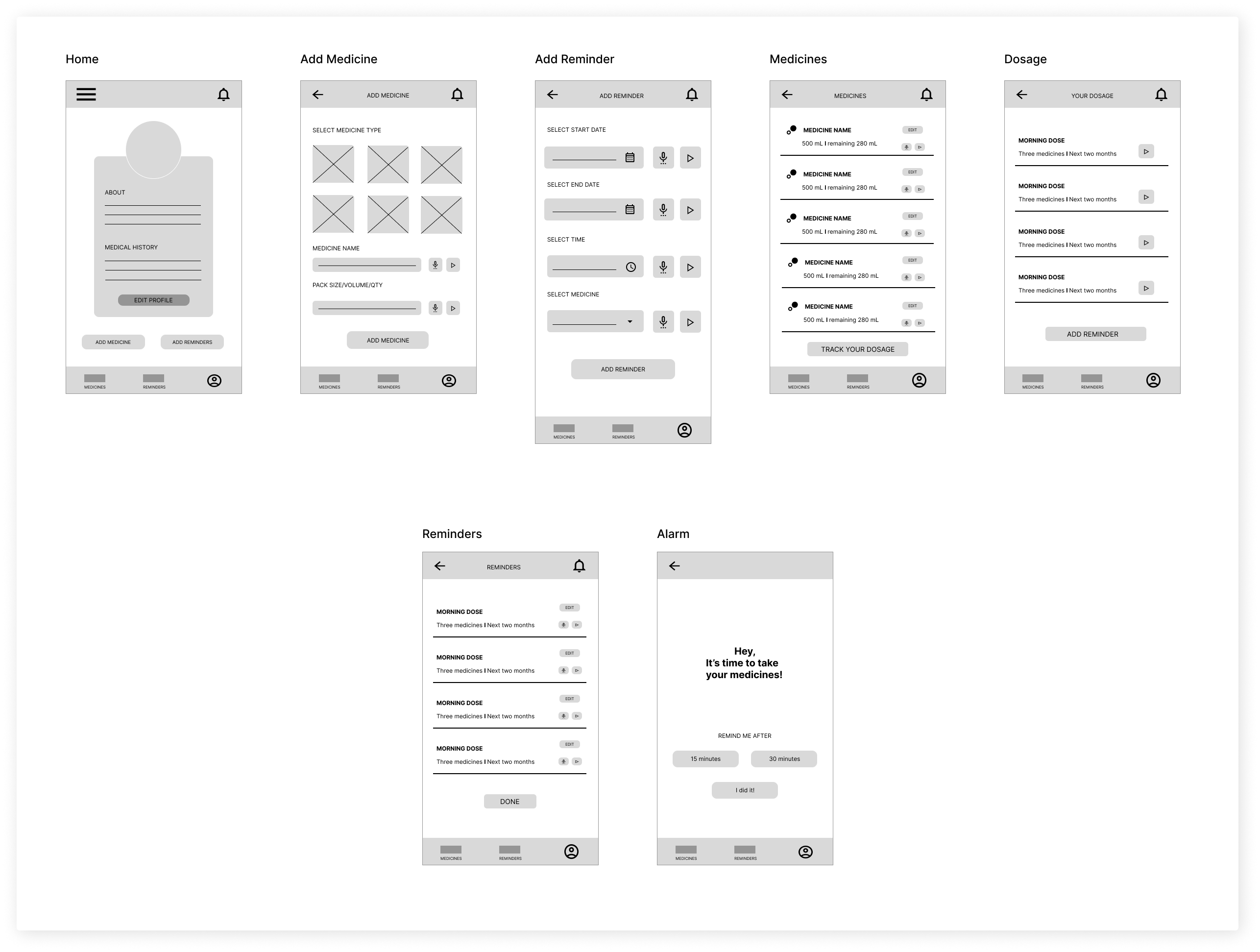
After ideating and drafting some paper wireframes, I created the initial designs for the Medication Reminder App. These designs focused on delivering personalized guidance to users to help manage their medication. 

Digial wireframe- CMinder

Low-fidelity prototype

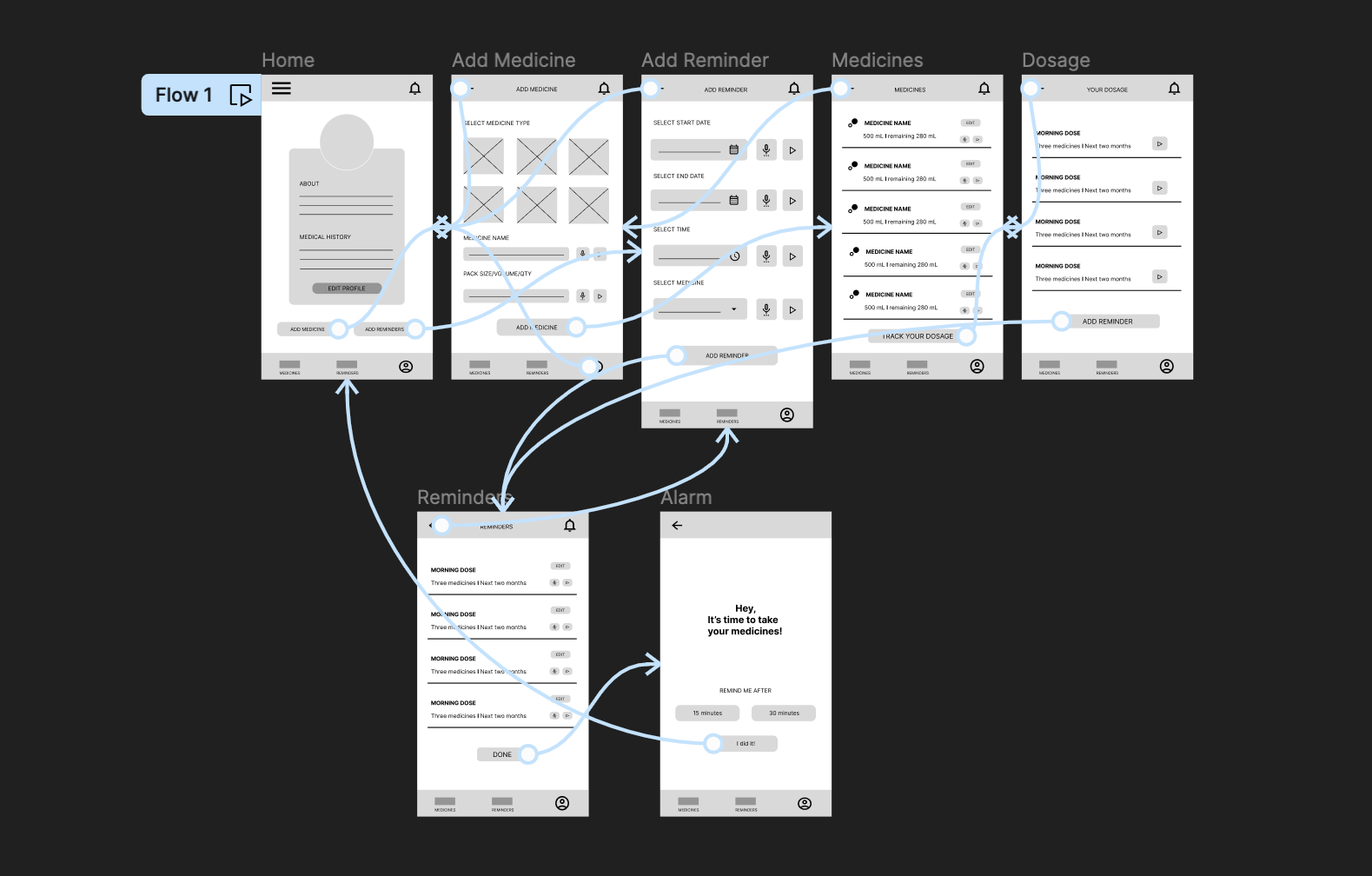
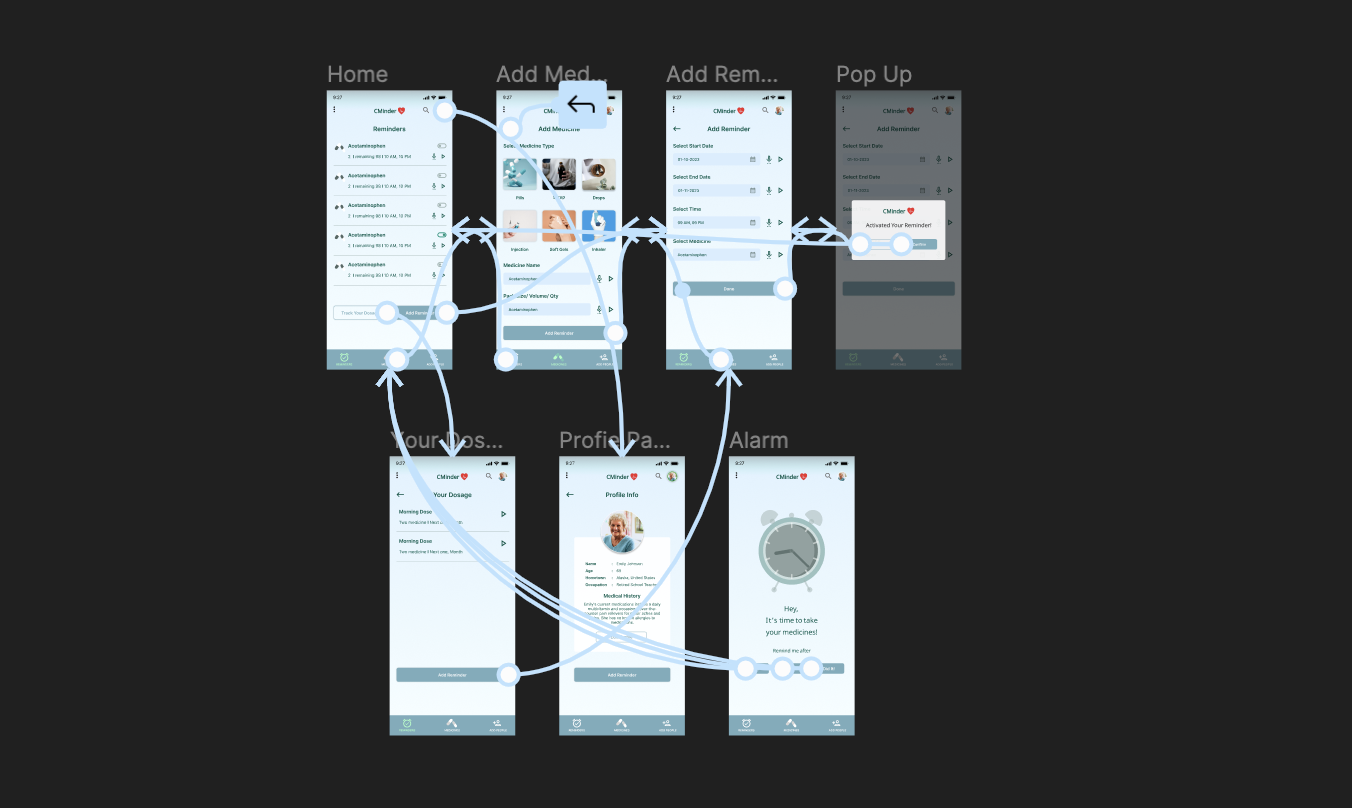
To prepare for usability testing, I created a low-fidelity prototype that connected the user flow of scheduling a reminder for medication.
CMinder- LoFi prototype

Usability study: parameters

Study type

Unmoderated usability study

Location

United States, Remote

Participants

5 participants

Length

30- 45 minutes

Usability study: findings

1

Features

People want easy access to medication reminders and add medication.

2

User Interface

People prefer intuitive navigation.

3

Accessibility

People preferred voice assistance and multilingual texts.

Refining the design

  • Mockups
  • High-fidelity prototype
  • Accessibility

Mockups

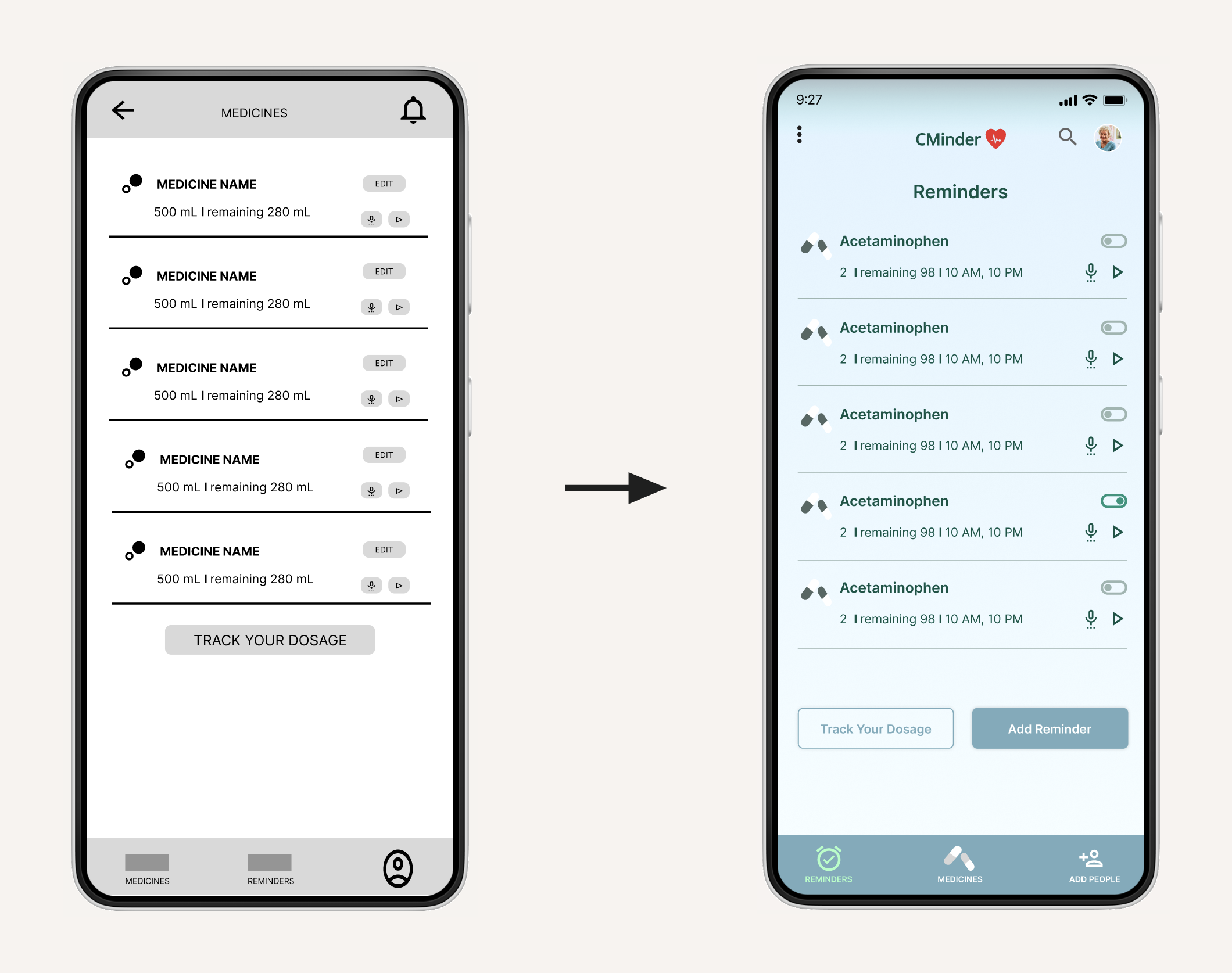
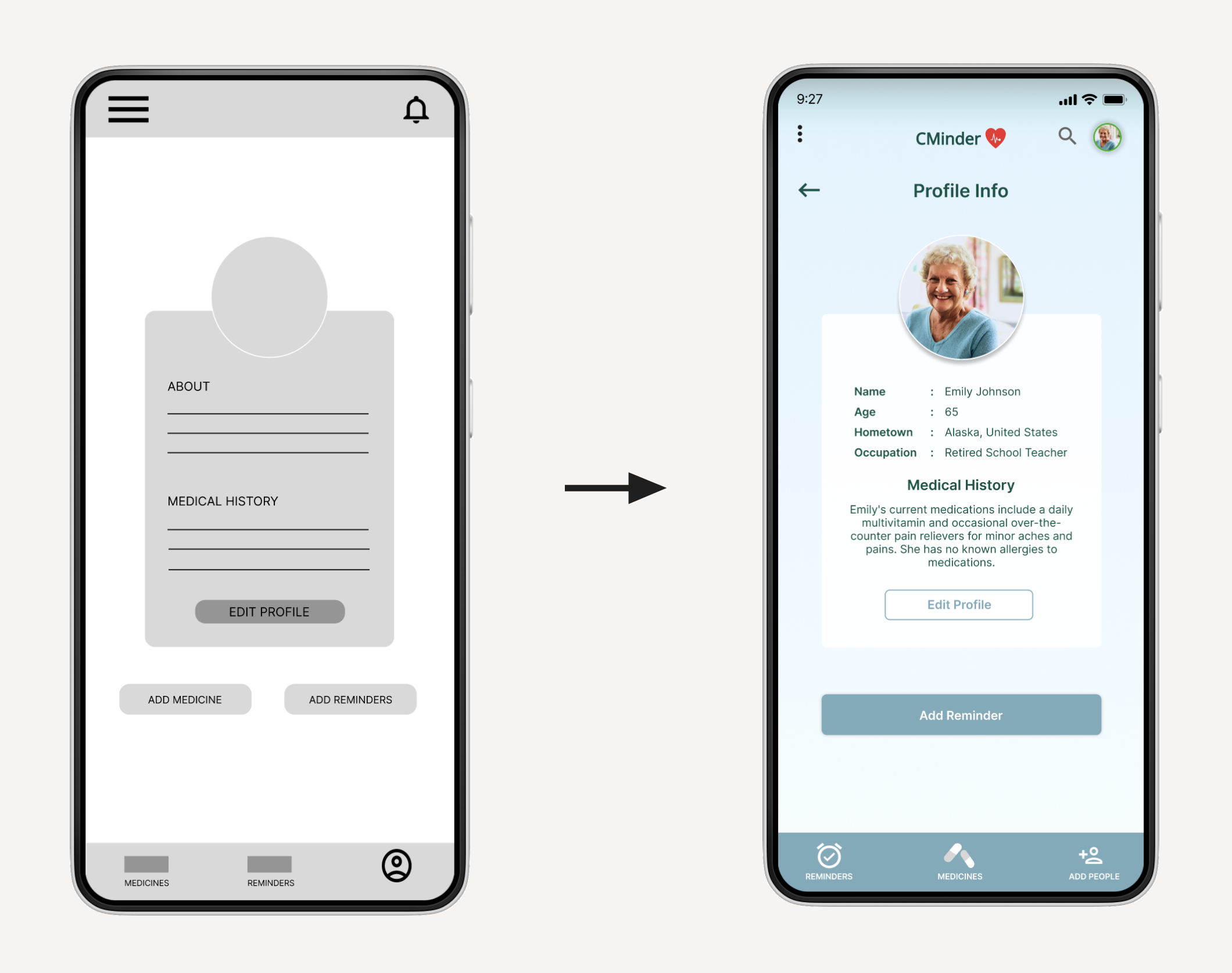
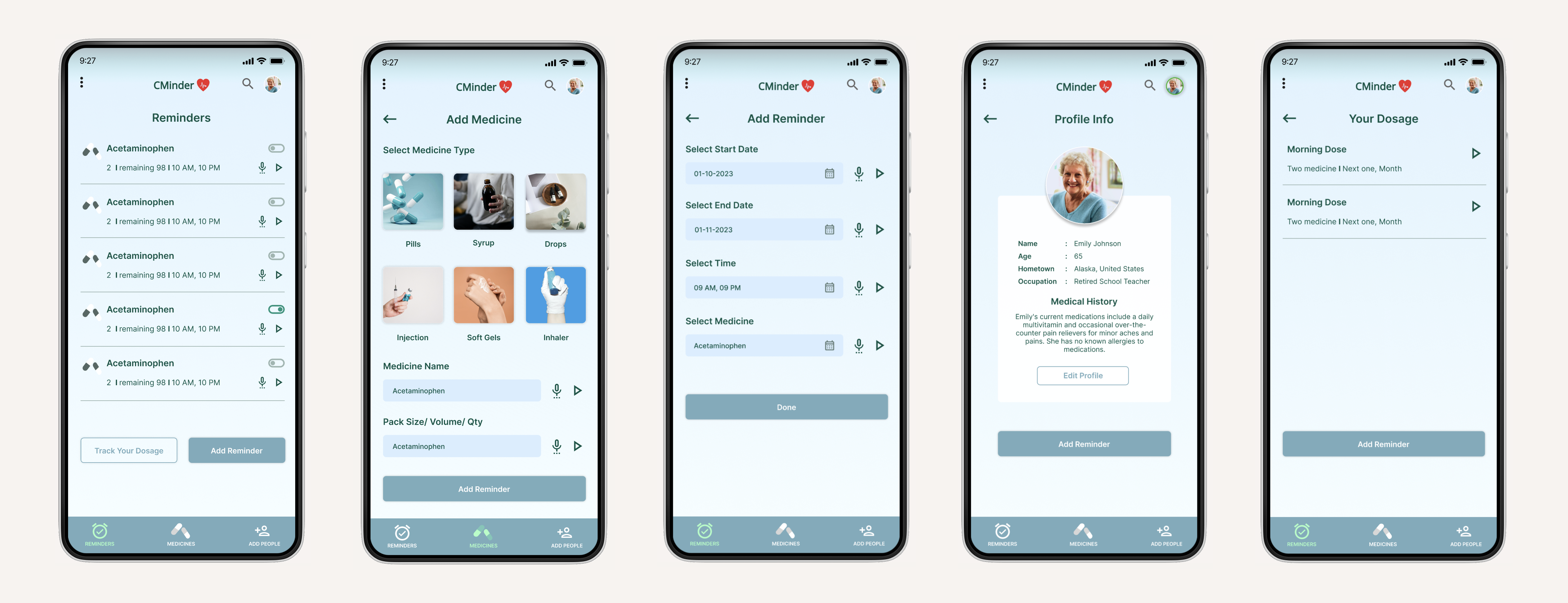
Based on the insights from the usability studies the task flow was changed. Previously the flow started from the profile screen and after the study, it changed to the reminders listing screen. The title was changed from medicines to reminders and a button to add a reminder was added on the screen based on the convenience of the users.

  • Mockups
  • High-fidelity prototype
  • Accessibility

Based on the insights from the usability studies, I applied design changes like adding a search button to the top navigation as well as the buttons were changed to set reminders for a better usability experience.

CMinder App- Mockup 2

Key mockups

High-fidelity 
prototype

Based on the insights from the usability studies, I applied design changes like providing a clear section from the home screen to search according to preference and as well as to add the user location.

HiFi Prototype- CMinder app

Accessibility considerations

1

Intuitive home screen with clear buttons for add medicines and add reminders. The screen also displays the user profile along with the medical history.

2

Easy navigation through the screens which makes it easy to access for visually impaired users with the use of voice assistance.

3

An easy screen to track the dosage according to the reminders and medicines choosen.

Responsive Design

  • Information architecture
  • Responsive design

Sitemap

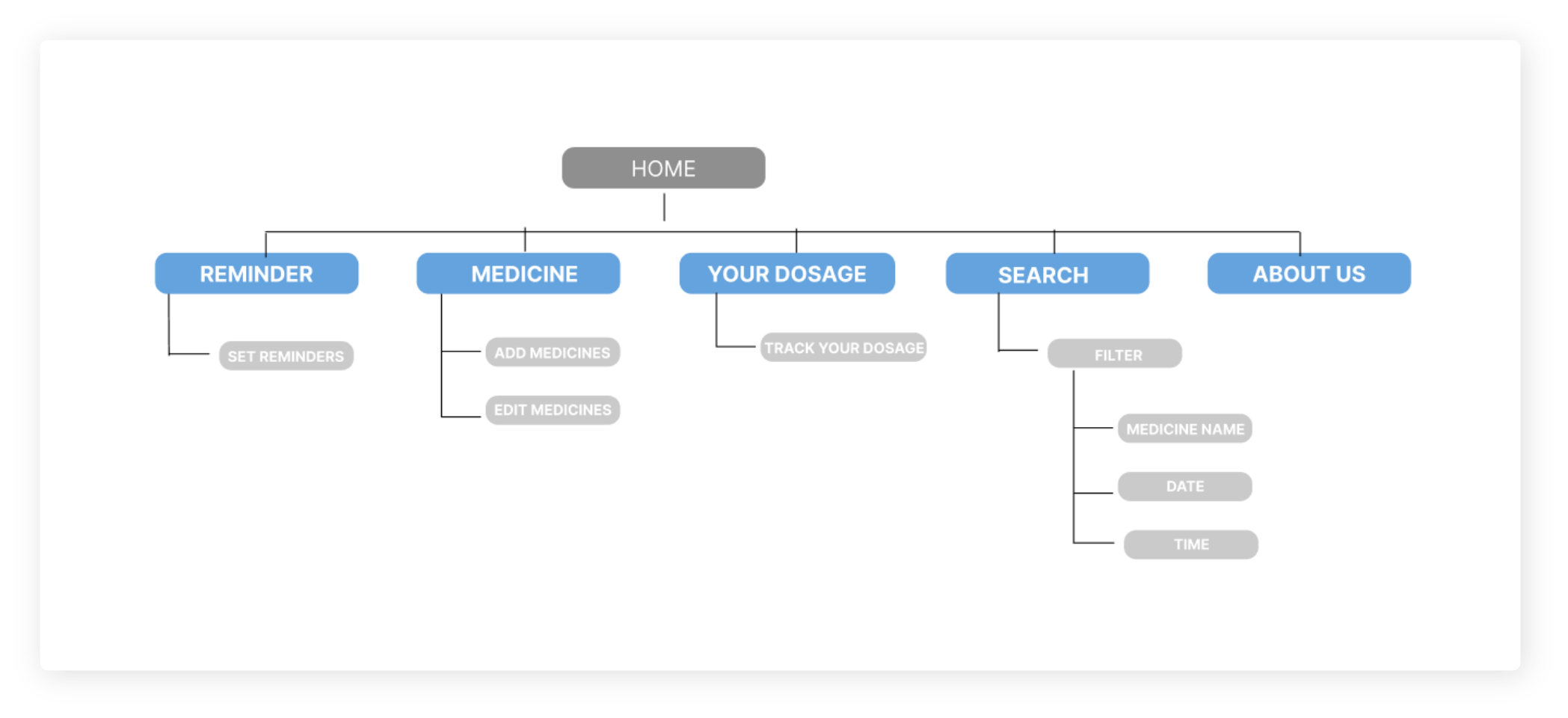
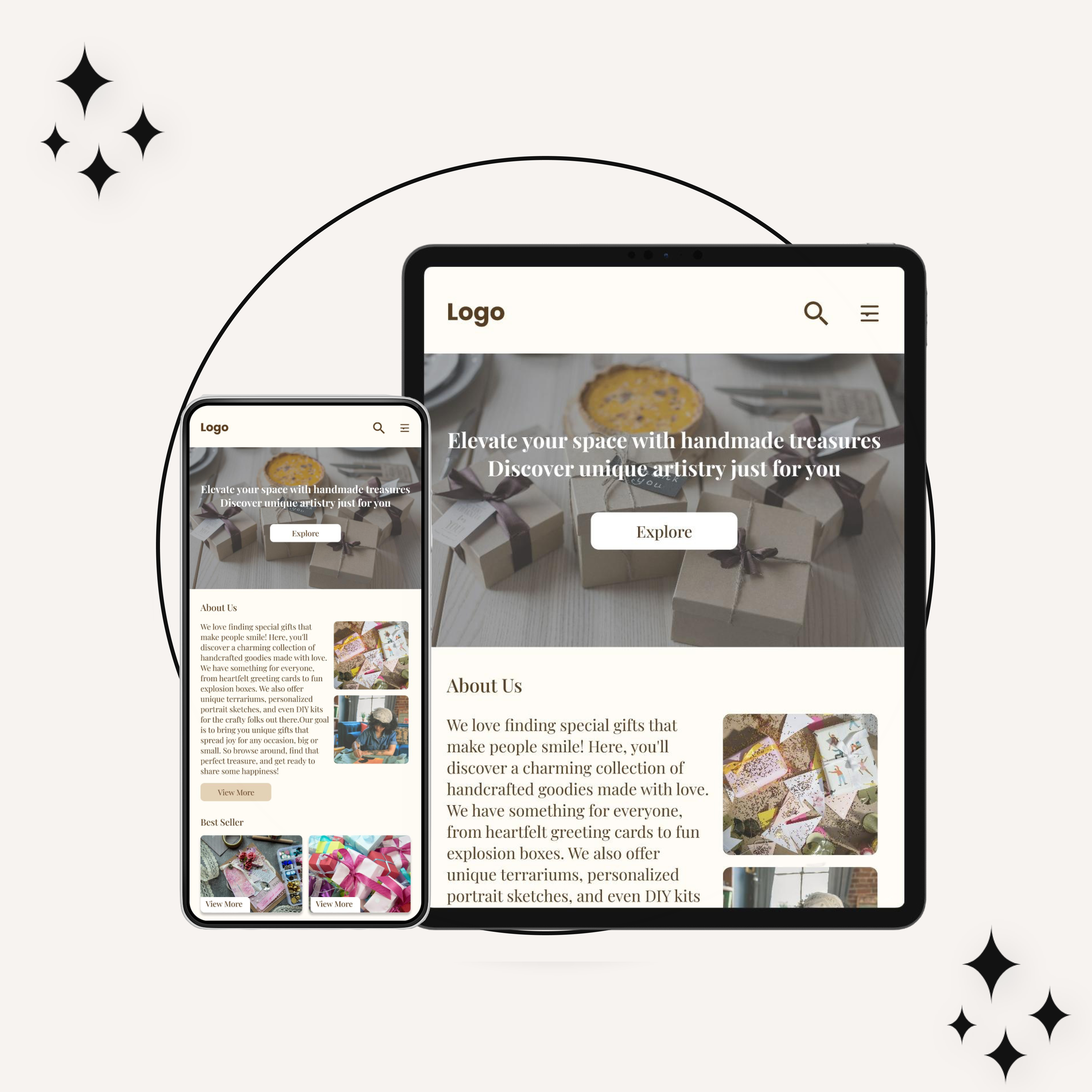
With the app designs completed, I started work on designing the responsive website. I used the Medication Reminder sitemap to guide the structure of each screen’s design to ensure a cohesive and consistent experience across devices.

  • Information architecture
  • Responsive design
Sitemap- CMinder

Responsive designs

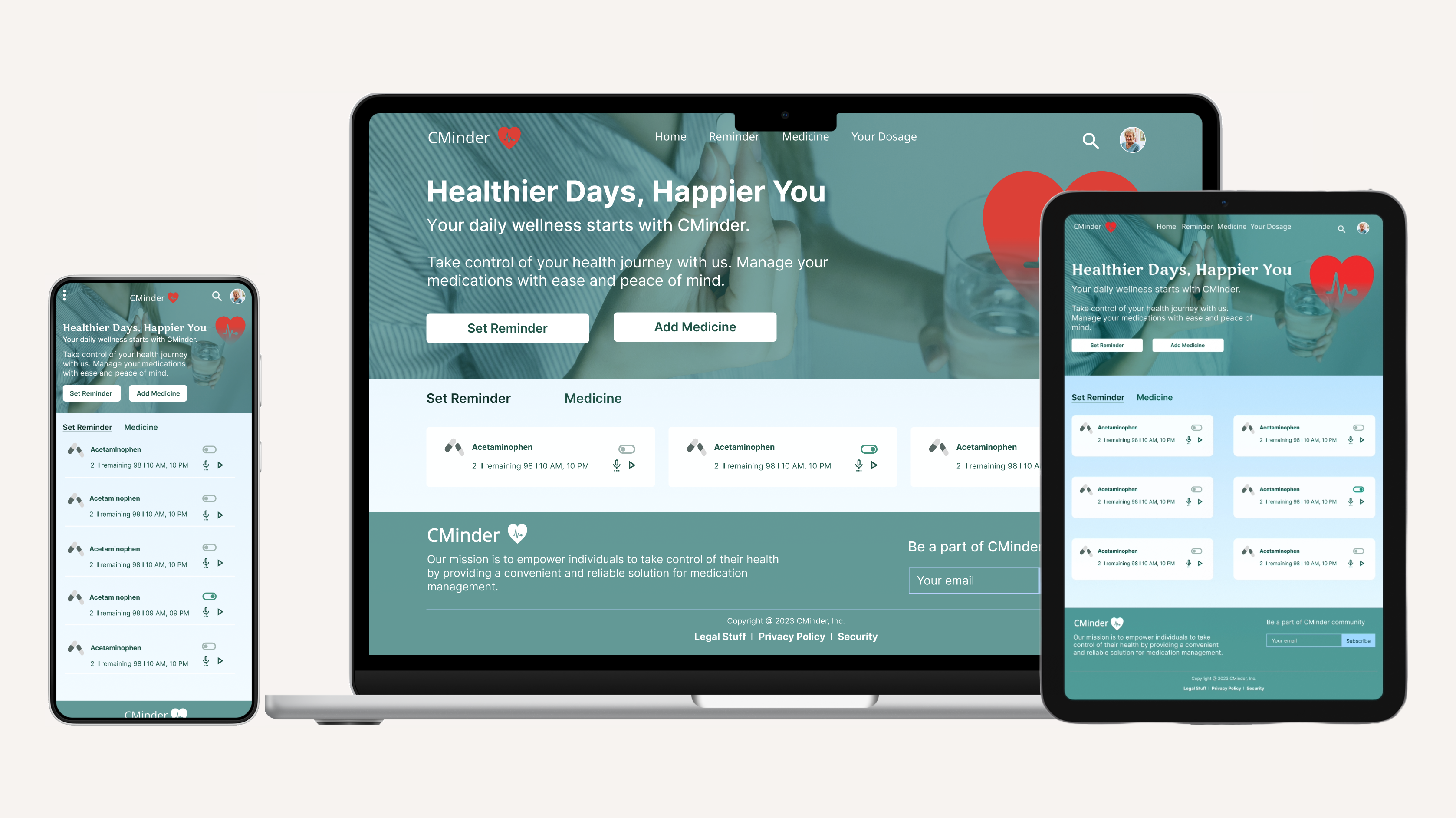
The designs for screen size variation included mobile, tablet, and desktop. I optimized the designs to fit specific user needs of each device and screen size.

Going forward

  • Takeaways
  • Next steps

Takeaways

  • Takeaways
  • Next steps

Impact

Users shared that the app helps users stay on track with their mediction schedules, reducing the risks of missed doses or incrrect timings. Also user-friendly , offering customizable reminders and easy-to-read instructions, making them accessible to a wide range of users including older adults.

What I learned

I learned that even though the problem I was trying to solve was a big one, diligently going through each step of the design process and aligning with specific user needs helped me come up with solutions that were both feasible and useful

Next steps

1

Conduct research on how successful the app is in reaching the goal to reduce the stress cuased by missed dosages.

2

Add more alert ideas for users to customise according to their convenience.

3

Insert more easy navigation and accessibility to make the design more user-friendly.

View other works