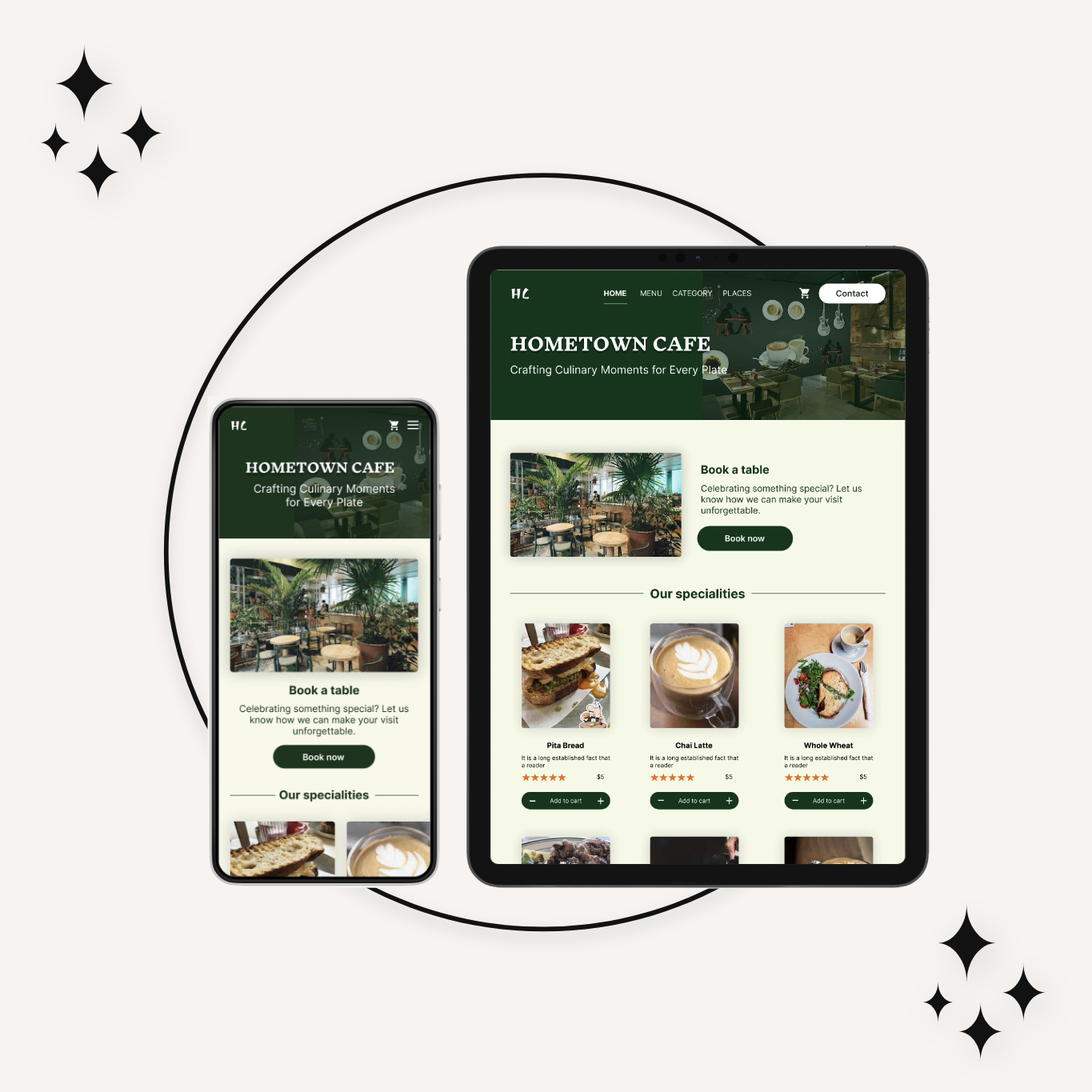
CafePress is a cozy, small-town cafe known for its growing customer base. To improve customer satisfaction and simplify communication, the cafe decided to introduce a chat support system for its merchants.
This case study showcases the journey of designing a chat support dashboard for Hometown Cafe. The goal was to craft an intuitive interface that helps merchants manage customer queries effortlessly and deliver real-time support with ease.
Merchants need an easy-to-navigate dashboard due to limited technical expertise.
Quick access to chat history is crucial for resolving recurring issues.
Notifications and message prioritization would enhance efficiency.
The Goal
To design a user-friendly chat support dashboard that helps the merchant:
Manage multiple customer conversations.
Respond quickly and effectively.
Track chat history and statuses.
Project Scope
CafePress- Chat Support
Tool Used
Figma
Role
UX designer designing a chat support desktop screen for a web app from conception to delivery.
Duration
2 weeks
Understanding the user
Research and Understanding
Stakeholder Interviews: Conducted discussions with the cafe owner to understand business challenges.
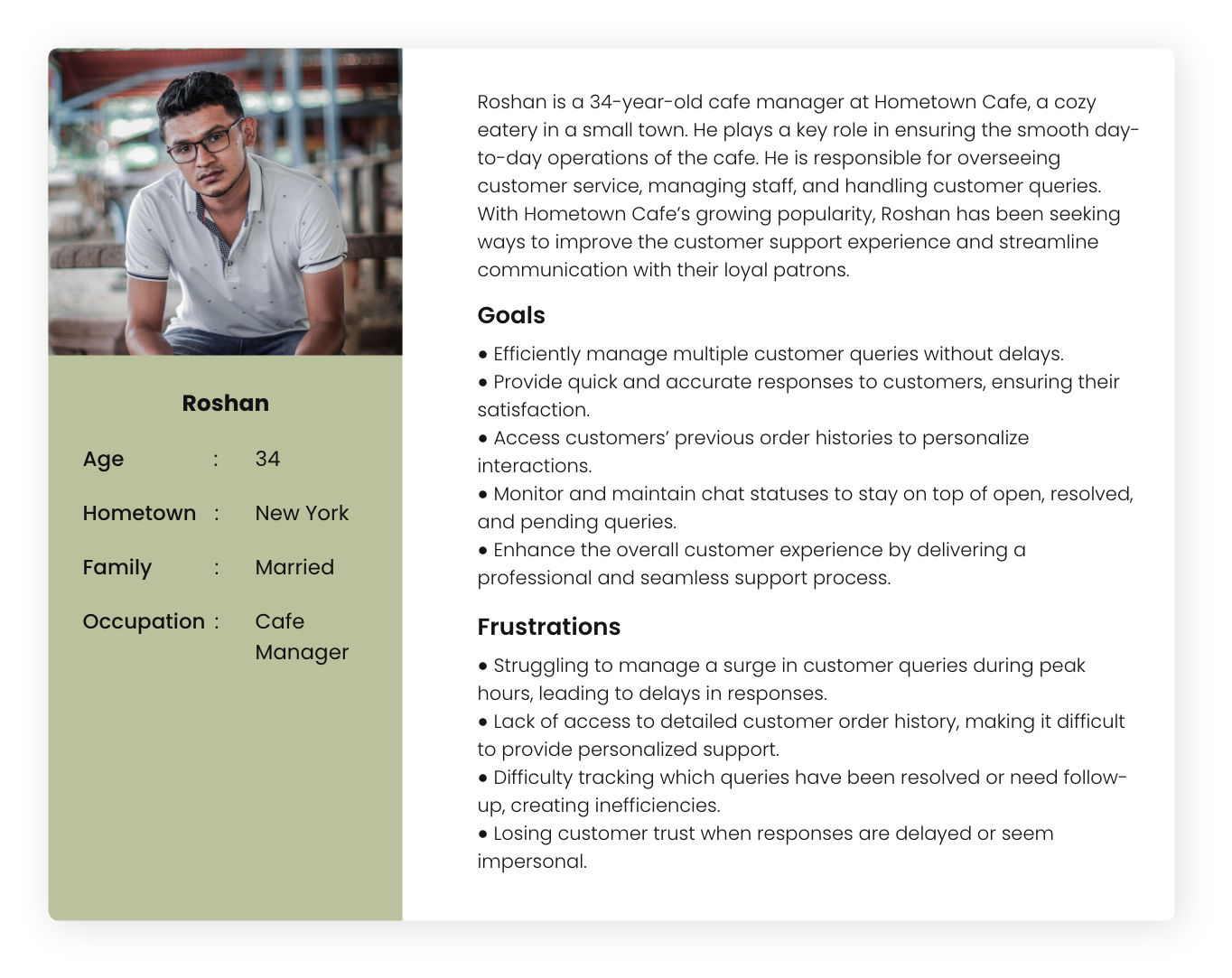
User Persona Development: Created a persona for the merchant who would use the dashboard.
Competitor Analysis: Studied existing chat support platforms to identify strengths and gaps.
Research and Understanding
Persona
Problem statement
Persona : Roshan
Problem statement: Roshan is a 34-year-old cafe manager at CafePress, a cozy eatery in a small town. Roshan has been seeking ways to improve the customer support experience and streamline communication with their loyal patrons.
Starting the design
Paper wireframes
Key features
Usability studies
Paper wireframes
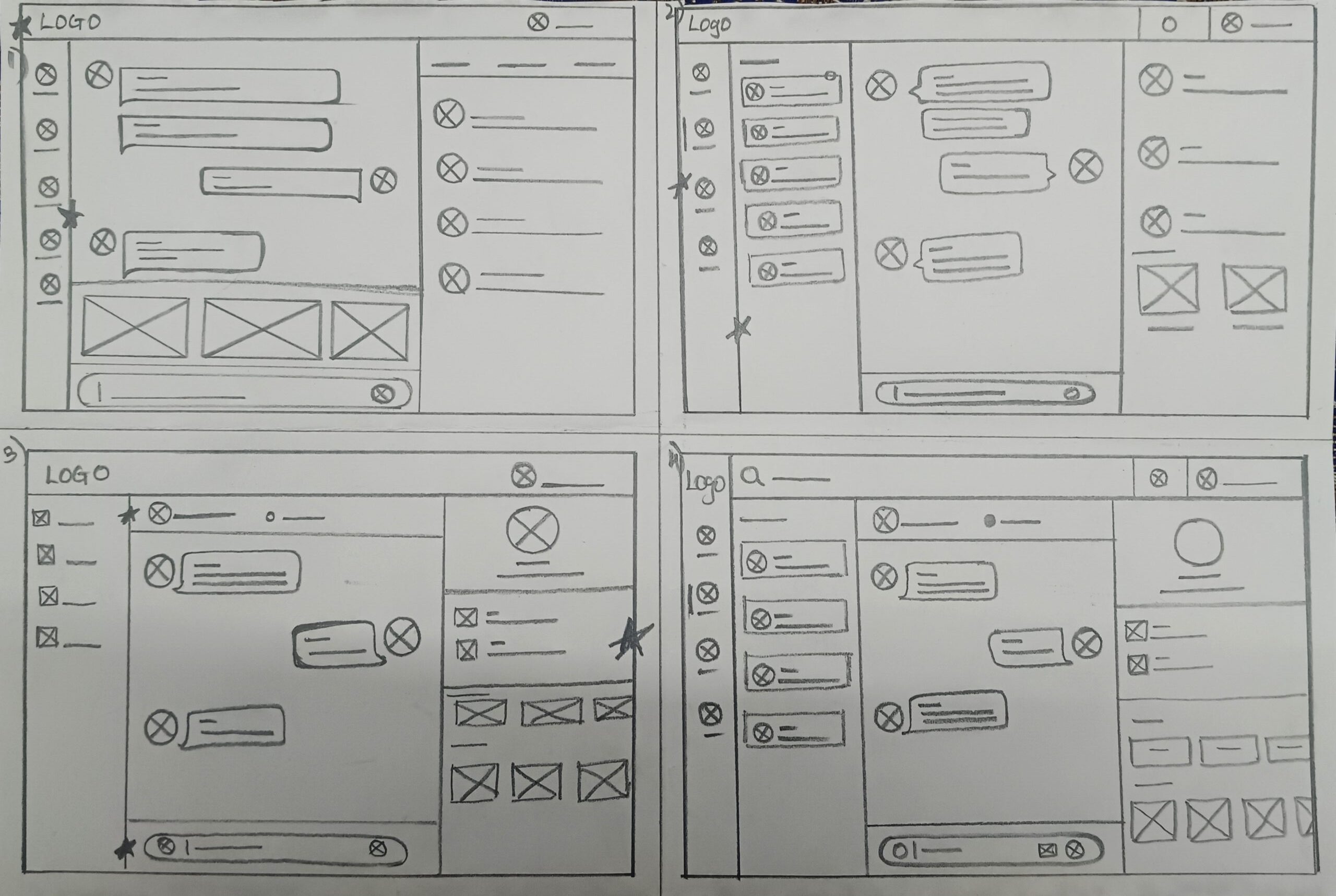
Created detailed paper wireframes for a chat support dashboard focused on merchants. The design highlights seamless user interaction by integrating a dedicated chat interface with easy access to previous order history.
Paper wireframes
Key features
Usability studies
Star is used to mark elements added in the final design.
Key Features
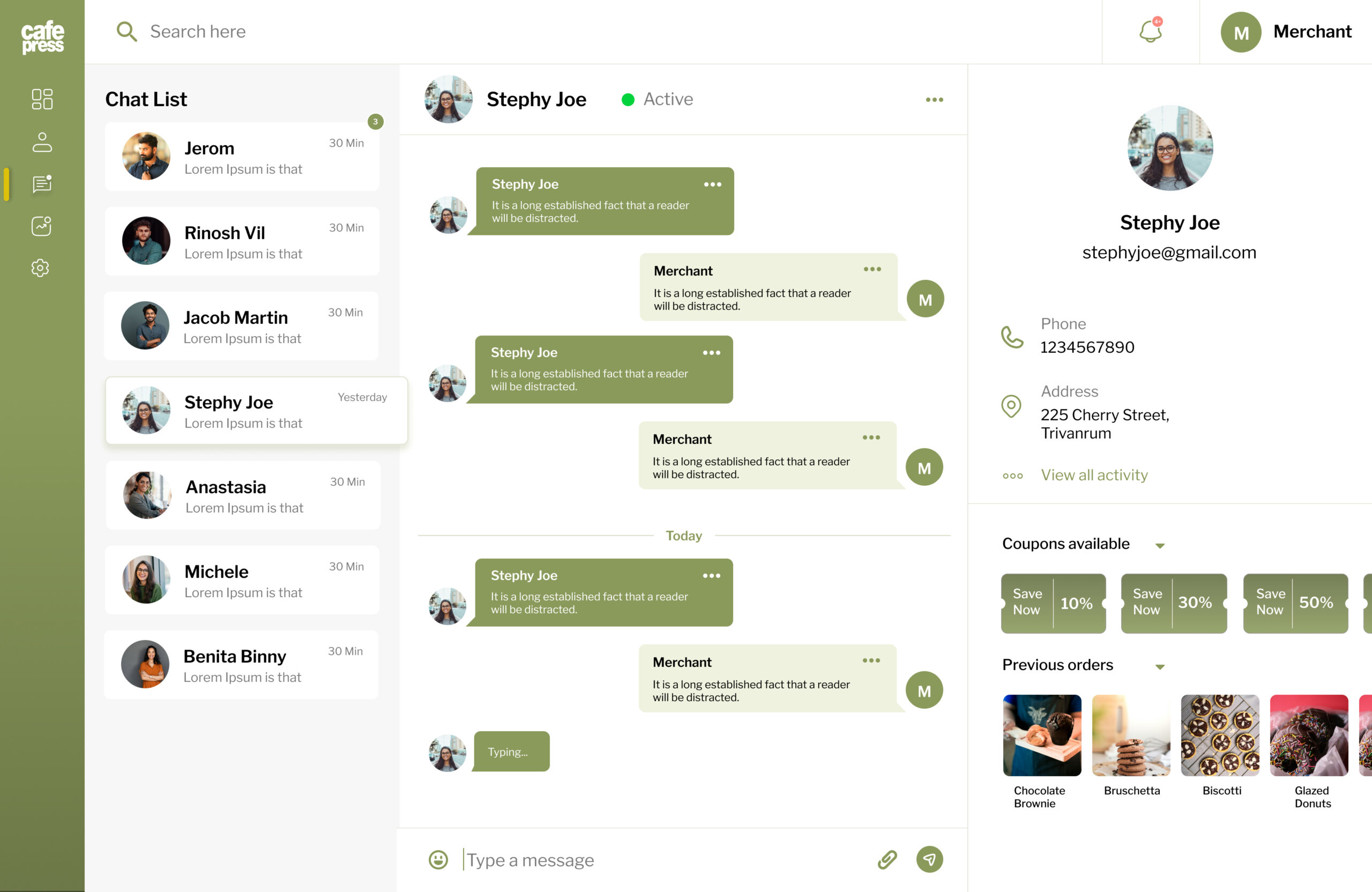
Chat List Panel
Displays all ongoing and past customer conversations.
Status indicators (e.g., new, resolved) for each chat.
Conversation View
A dedicated area for real-time conversation.
Includes message timestamps and customer information.
Notifications
Real-time notifications for new messages.
Alerts for priority messages.
Search and Filter
Allows merchants to search chats by customer name or keyword.
Filters for unresolved or high-priority chats.
Usability Studies
Methodology
Tested with three participants matching the merchant persona.
Tasks included starting a new chat, responding to a query, and filtering unresolved chats.
Feedback
Positive: Users appreciated the intuitive layout and quick access to actions.
Improvements: Added a tooltip for first-time users to guide them through key features.
Final Design
UI Design
Mockups
Accessibility
UI Design
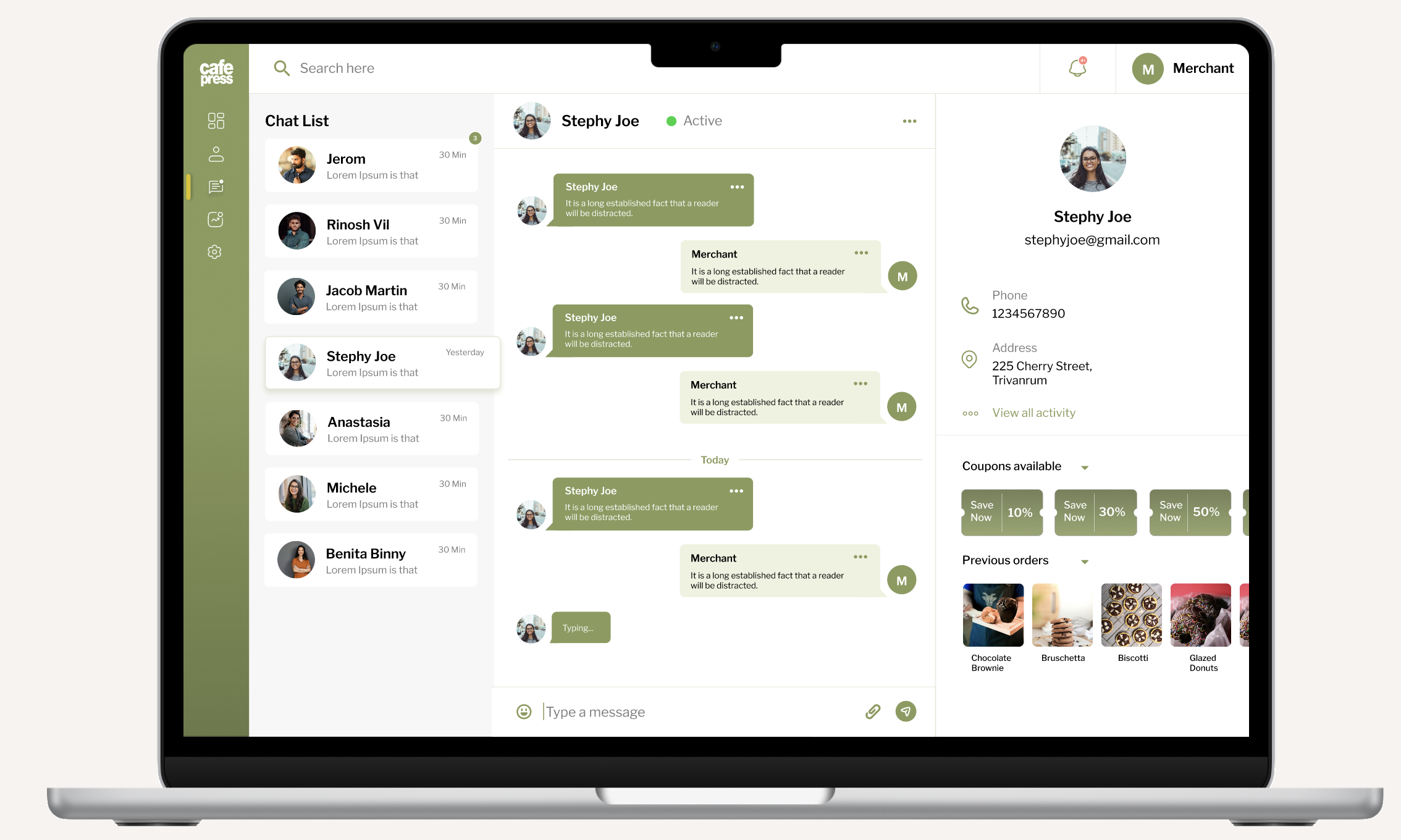
A clean, visually balanced interface ensuring ease of use.
Logical grouping of features for seamless navigation.
Color Palette: Used a warm and inviting color scheme inspired by the cafe’s branding.
Typography: Selected a clean, readable font for all text elements.
Icons: Incorporated intuitive icons for actions such as replying, marking as resolved, and assigning chats.
Provided access to users who are vision impaired through adding a play button to listen to the texts.
Used icons to help make navigation easier.
Going forward
Takeaways
Next steps
Takeaways
Takeaways
Next steps
Impact
The chat support dashboard successfully empowered Hometown Cafe’s merchant to manage customer communications effectively. This project showcases my ability to design practical, user-focused interfaces tailored to specific business needs.
The merchant was able to reduce response time by 30%.
Customer satisfaction improved due to quicker resolutions.
What I learned
Testing with users early in the process led to valuable design adjustments. A minimalist approach ensured ease of use.
Next steps
Conduct another round of usability studies to validate whether the pain points users experienced have been effectively addressed.
Conduct more user research to determine any new areas of need.