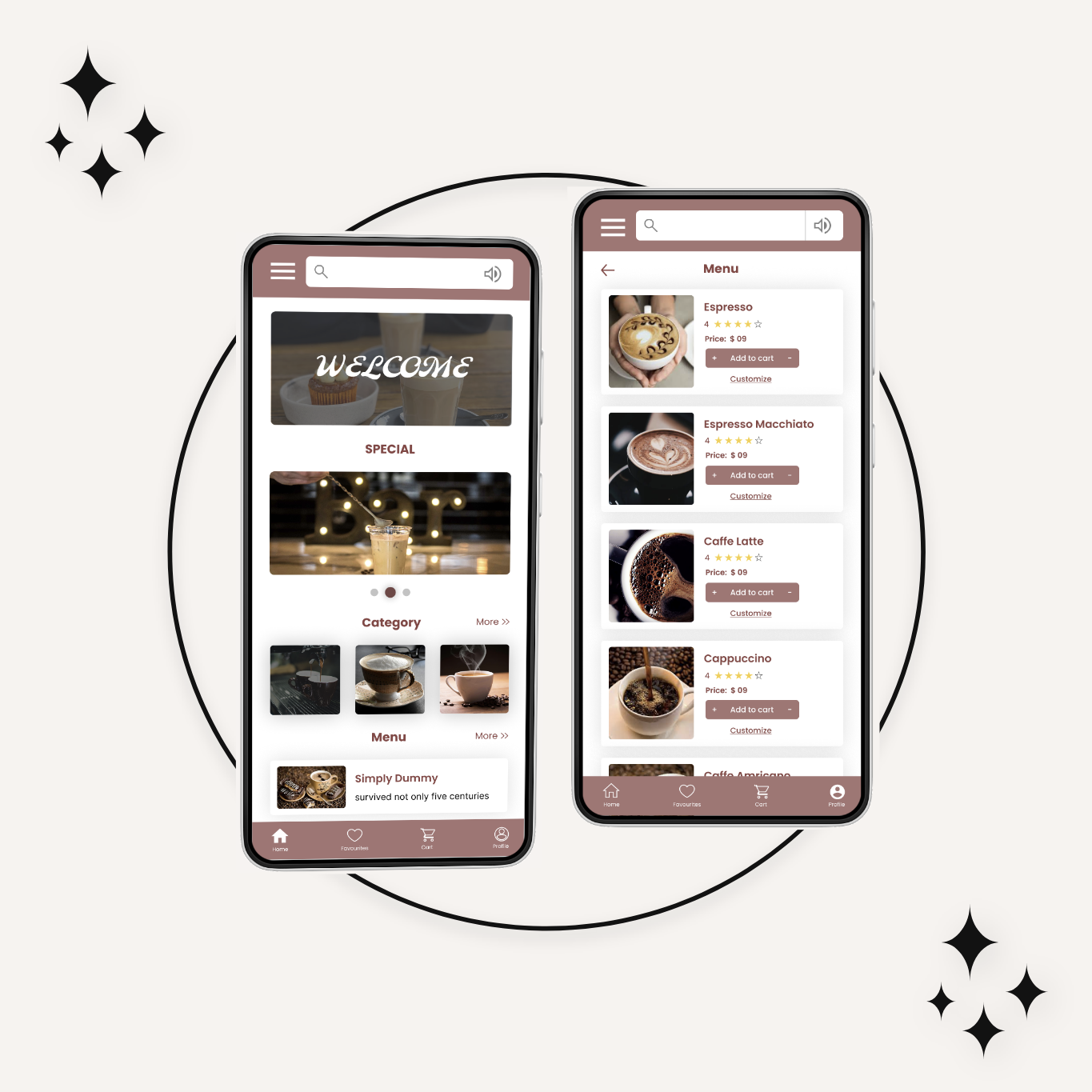
The Hometown Cafe website is more than just a virtual menu. It’s a digital extension of our cozy cafe, designed to keep you connected with the heart of your hometown, even when you can’t be here in person. Whether planning your next visit or simply craving a taste of home, our website is your one-stop destination.
People find it difficult to go in person and spend their time ordering and getting their favorite delights because of their busy schedules.
The Goal
Design a website for Hometown Cafe that allows users to easily order and pick up fresh, healthy delights.
Project Scope
Design a responsive website for Hometown cafe.
Tool Used
Figma
Role
UX designer leading the Hometown Cafe website design.
Duration
March 2023 to July 2023
Understanding the user
User research: summary
I conducted user interviews, which I then turned into empathy maps to better understand the target user and their needs. I discovered that many target users treat online food ordering as a fun and relaxing activity when they need a break from their busy schedules. However, many websites are overwhelming and confusing to navigate, which frustrates many target users. This caused a normally enjoyable experience to become challenging for them, defeating the purpose of usage.
User pain points
Time: Working adults are too busy to spend time in a queue.
Accessibility: Users often find it difficult to order through websites without assistive technologies.
Confusing UI: Shopping website designs are often overwhelming, which results in confusing navigation
User research
Personas
Problem statements
User journey maps
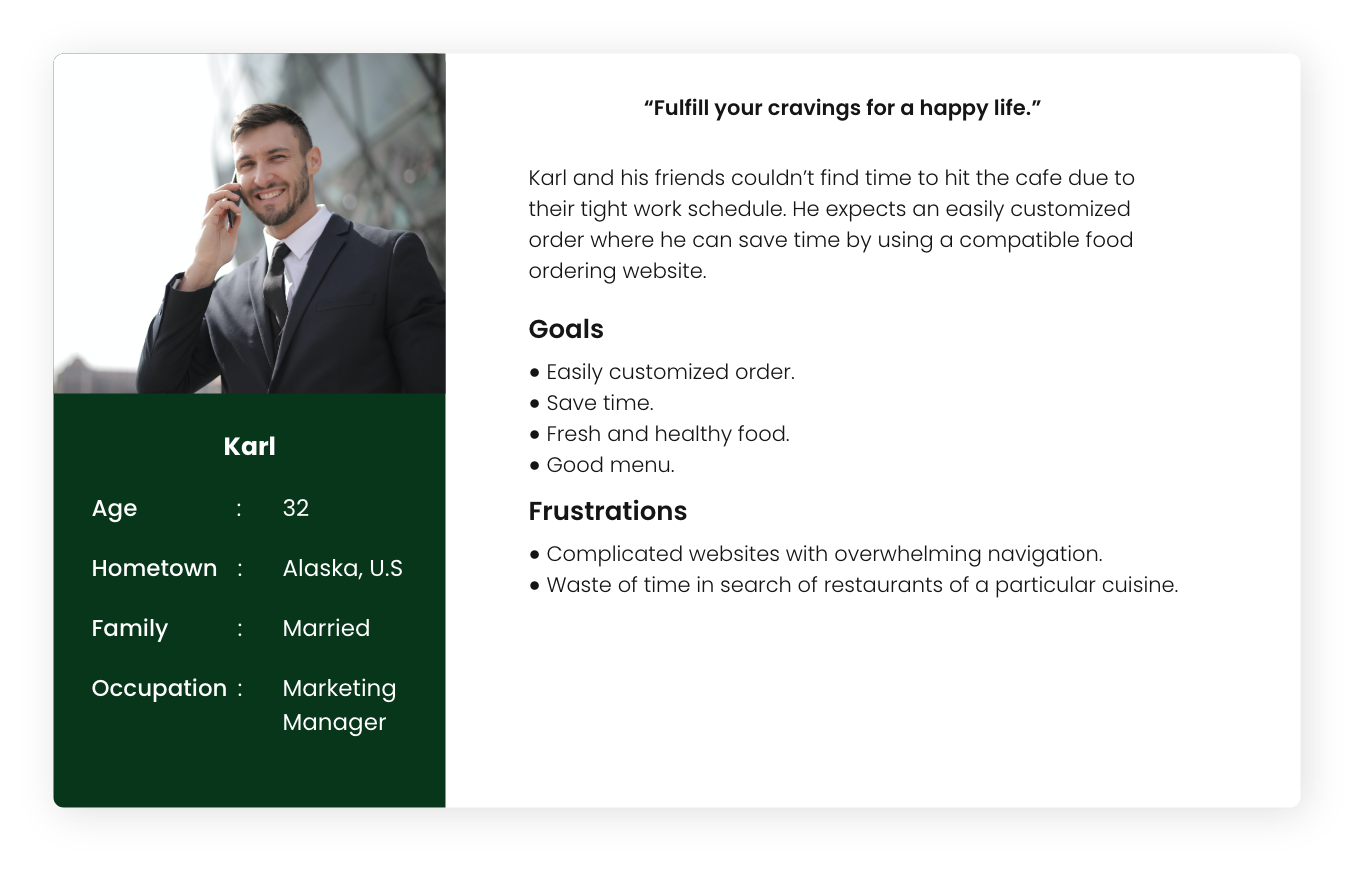
Persona 1: Karl
Problem statement: Karl is a busy working adult who needs easy access to healthy food ordering options because he wants to save time by using a compatible food ordering website.
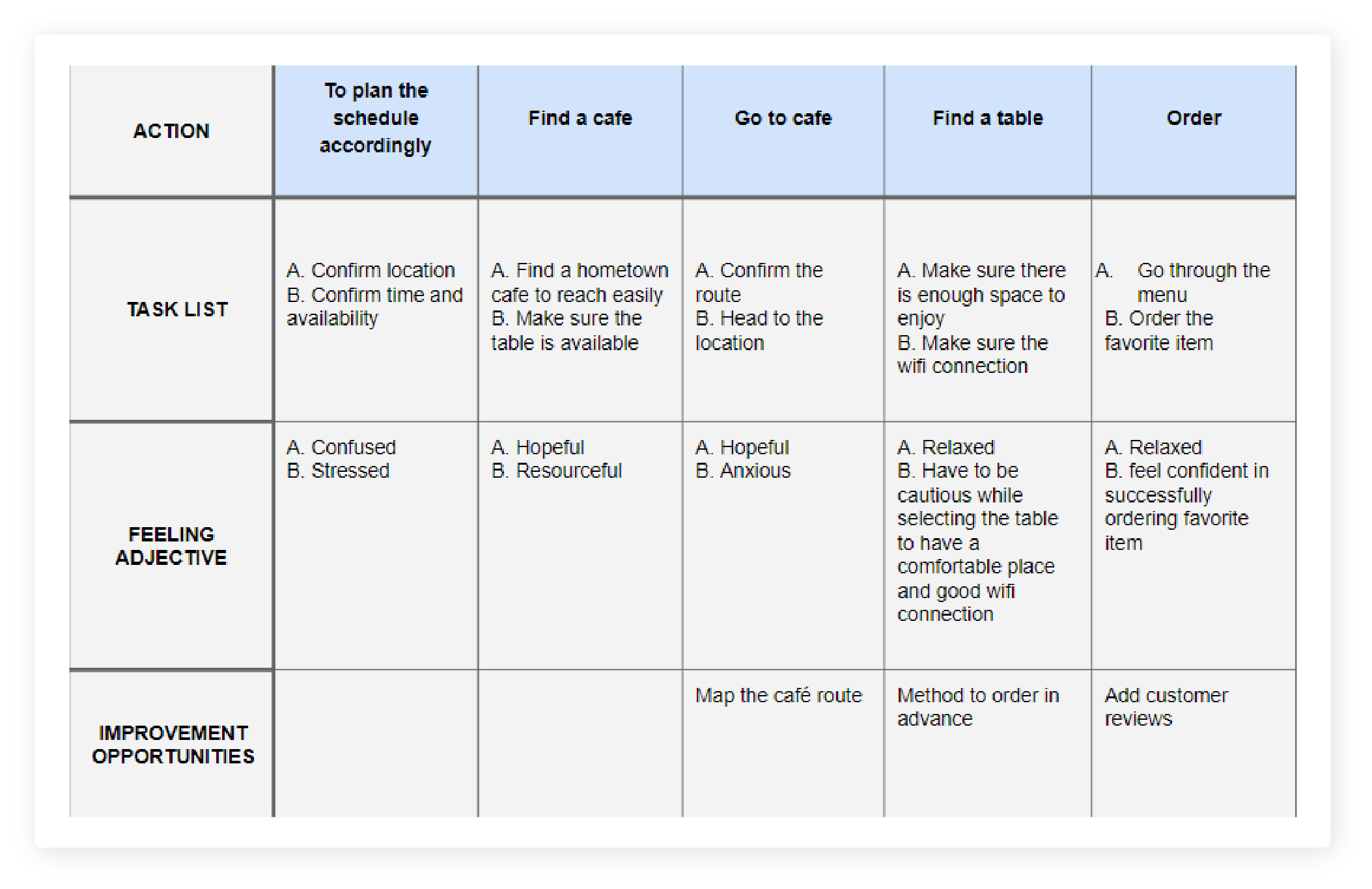
User journey map
Mapping Karl’s user journey revealed how helpful it would be for users to have access to a dedicated Hometown Cafe Website.
Starting the design
Sitemap
Paper wireframes
Digital wireframes
Low-fidelity prototype
Usability studies
Sitemap
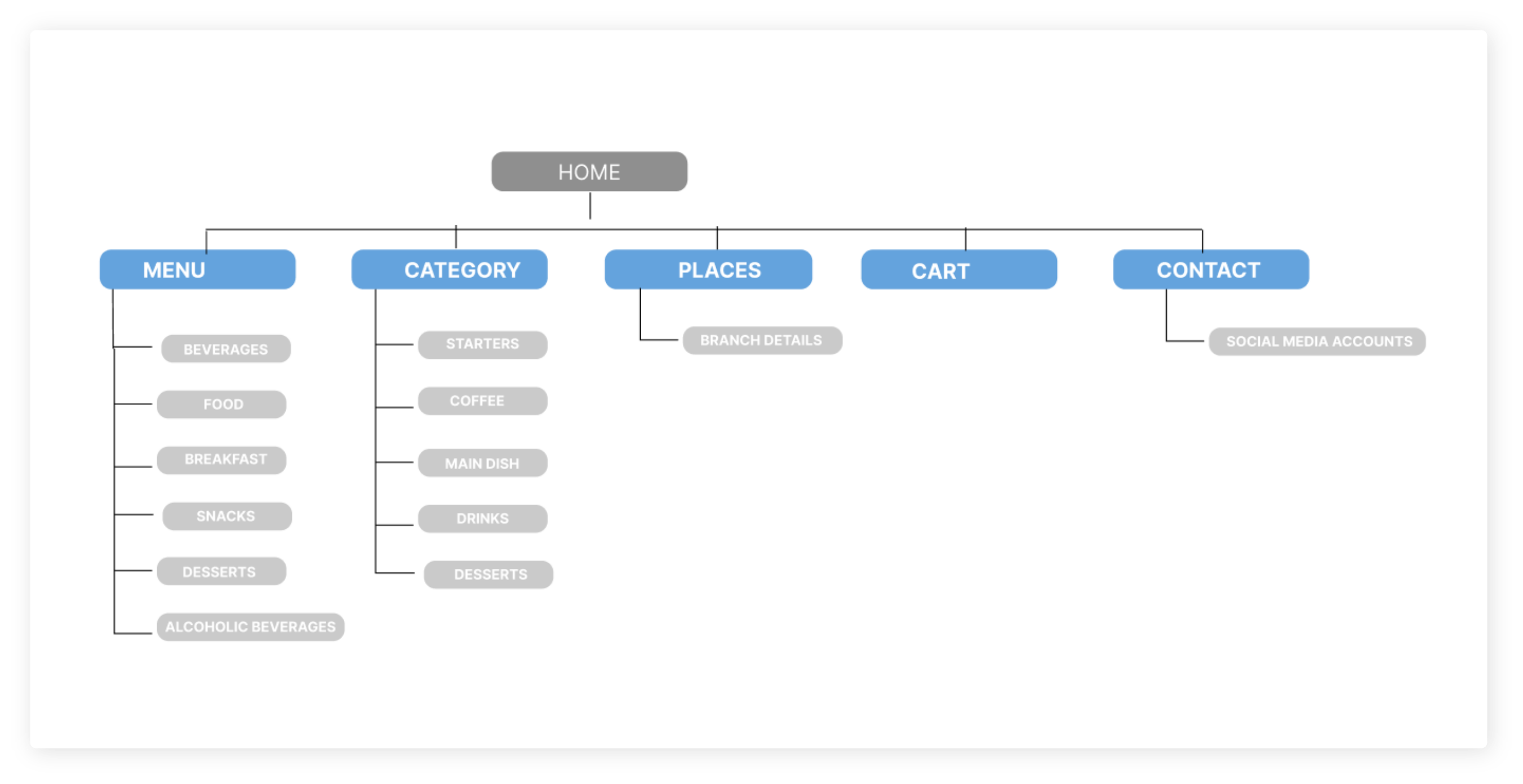
The sitemap created for the Hometown Cafe Website helped to establish a clear and structured navigation system. It served as a visual blueprint, outlining the hierarchy of pages and their relationships, ensuring a logical flow for users.
Sitemap
Paper wireframes
Digital wireframes
Low-fidelity prototype
Usability studies
Paper wireframes
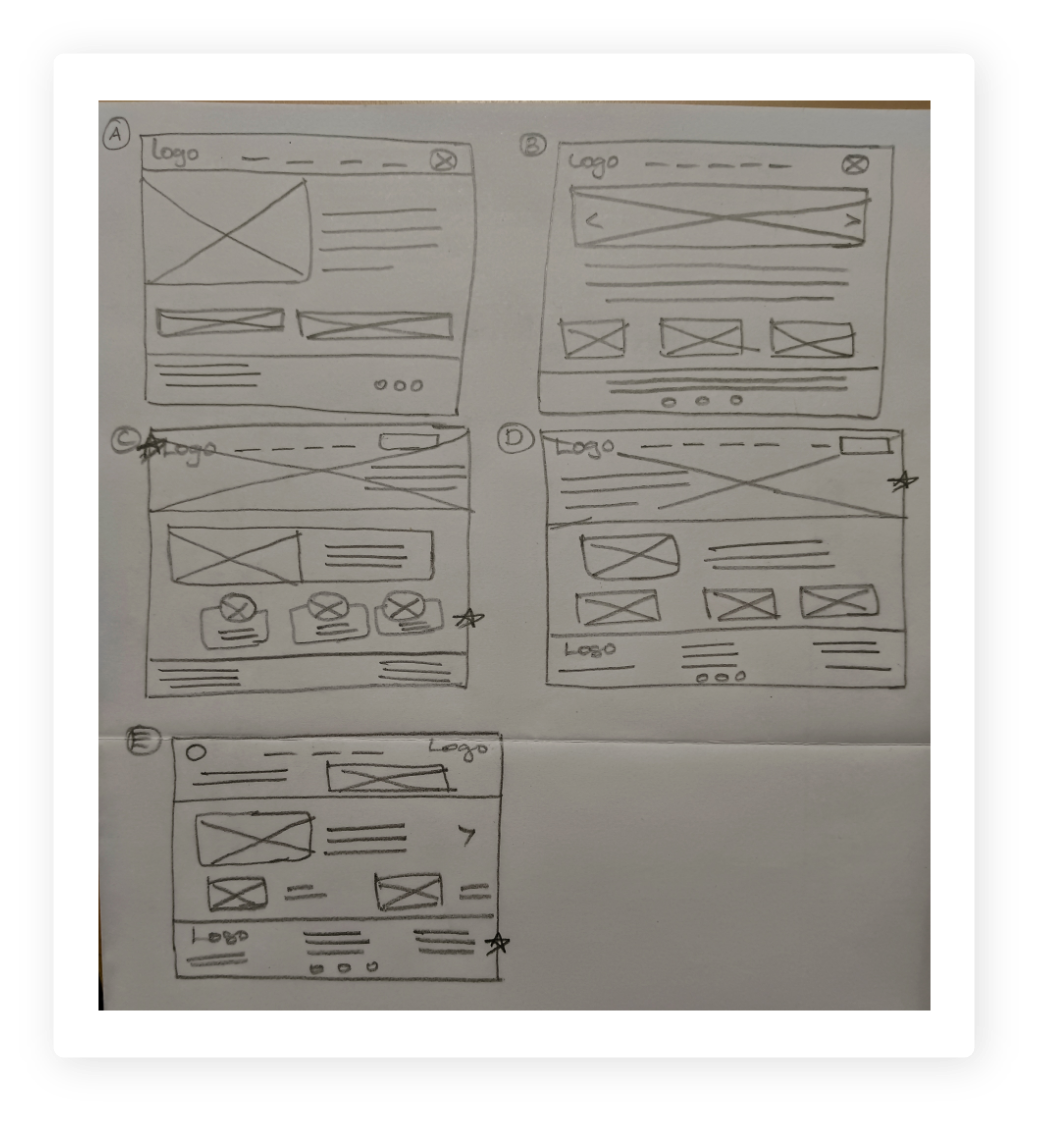
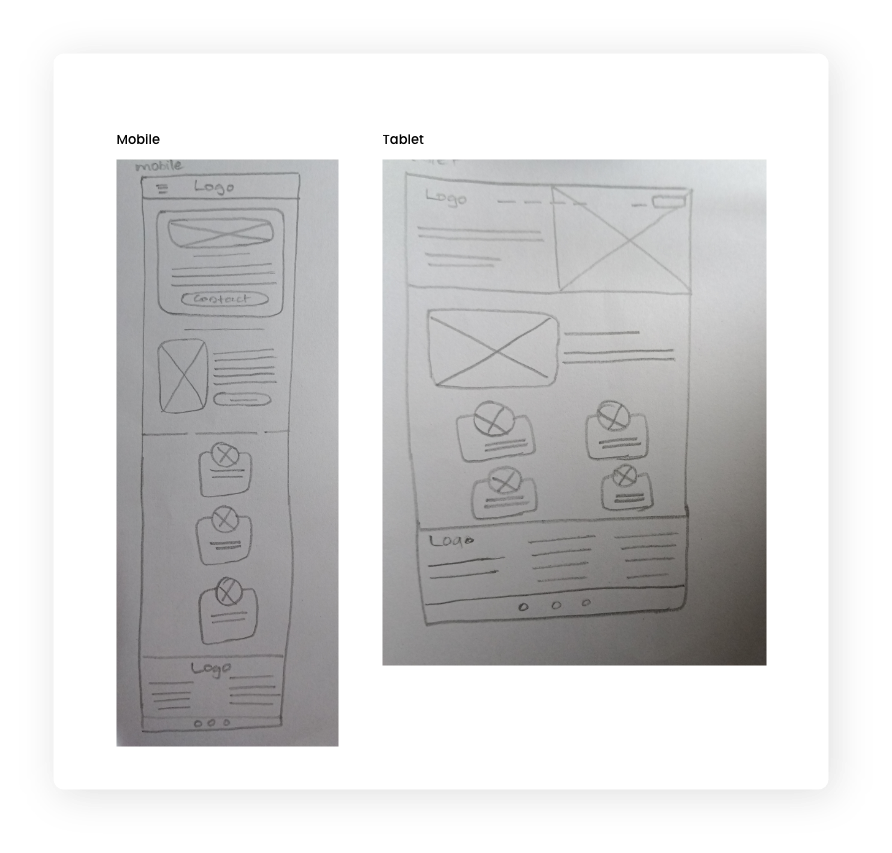
Creating paper wireframes before digital ones for the Hometown Cafe Website offered a tangible, tactile way to brainstorm and iterate the ideas quickly. It allowed a more organic, hands-on approach to design, fostering creativity without the constraints of digital tools.
Paper wireframe
screen size variation(s)
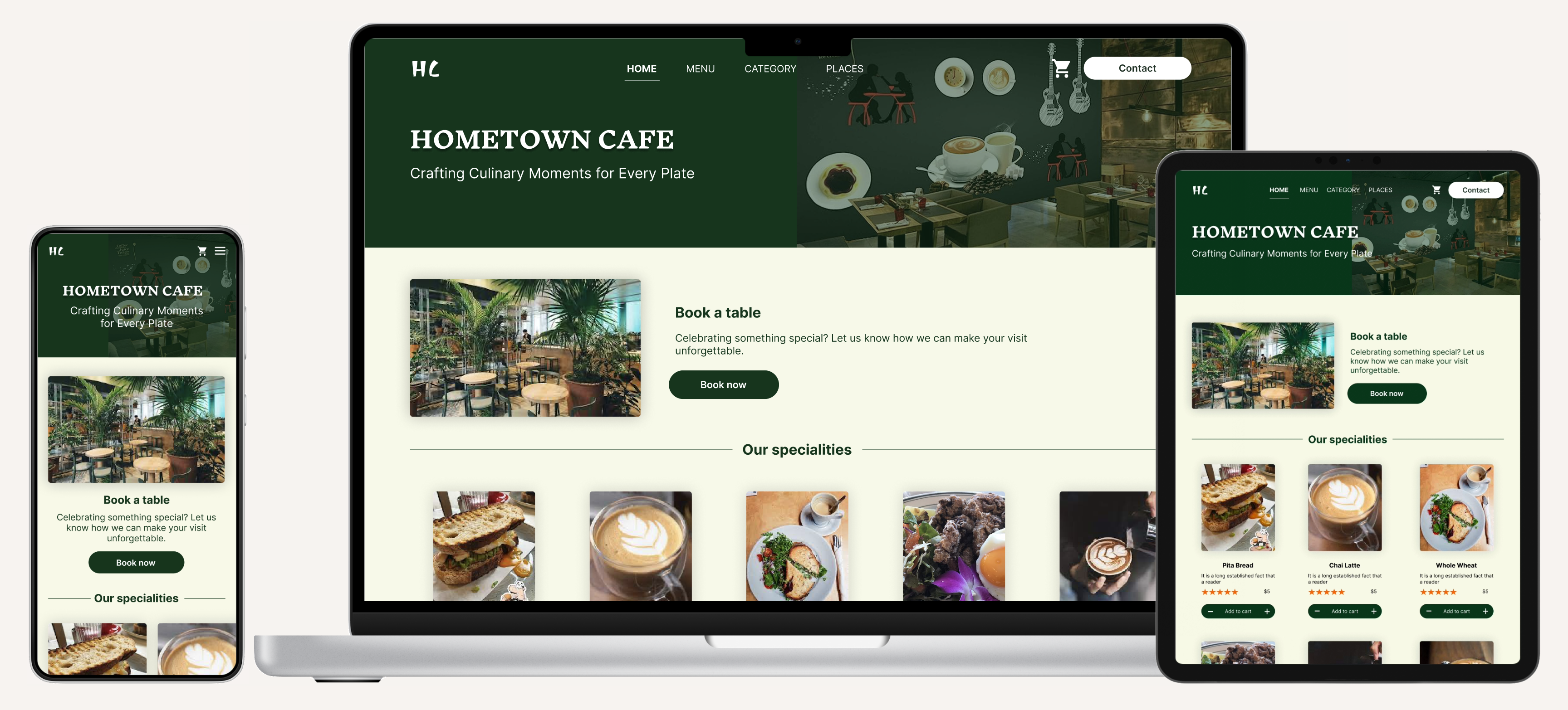
Because Hometown Cafe’s customers access the site on a variety of different devices, I started to work on designs for additional screen sizes to make sure the site would be fully responsive.
Digital wireframes
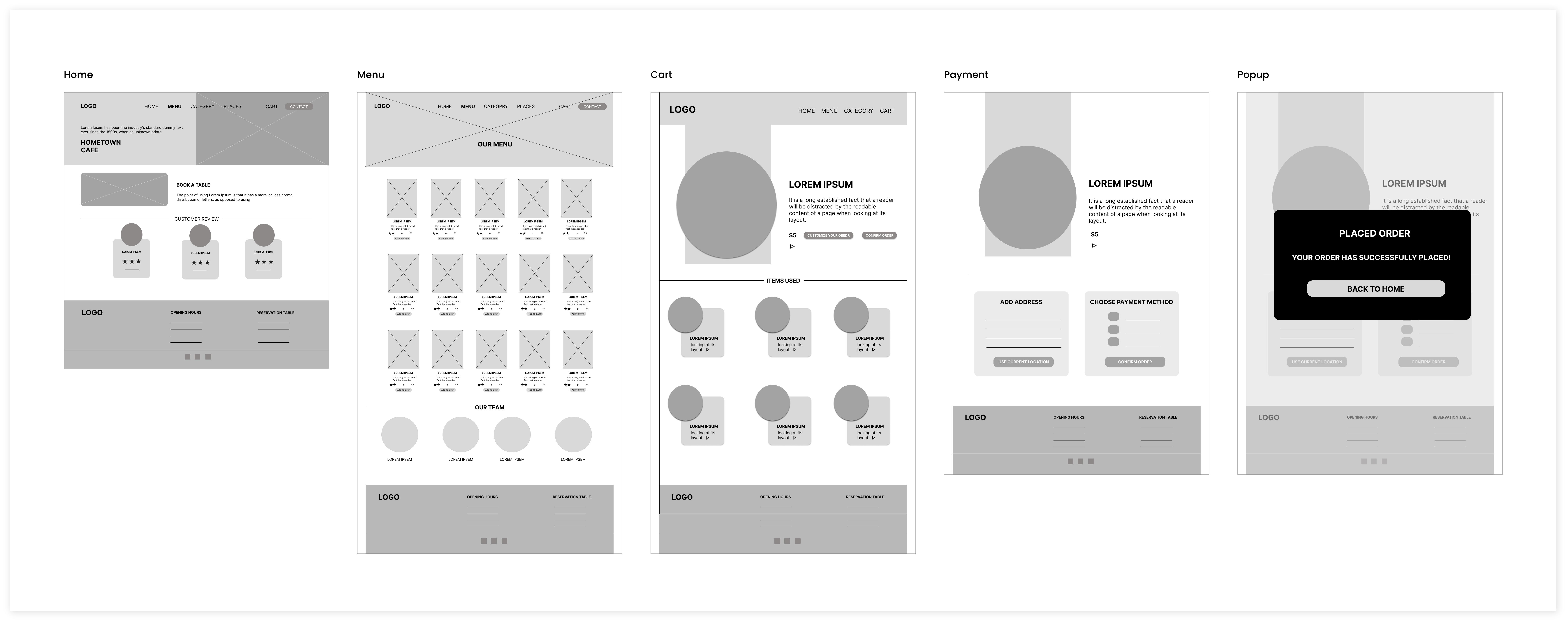
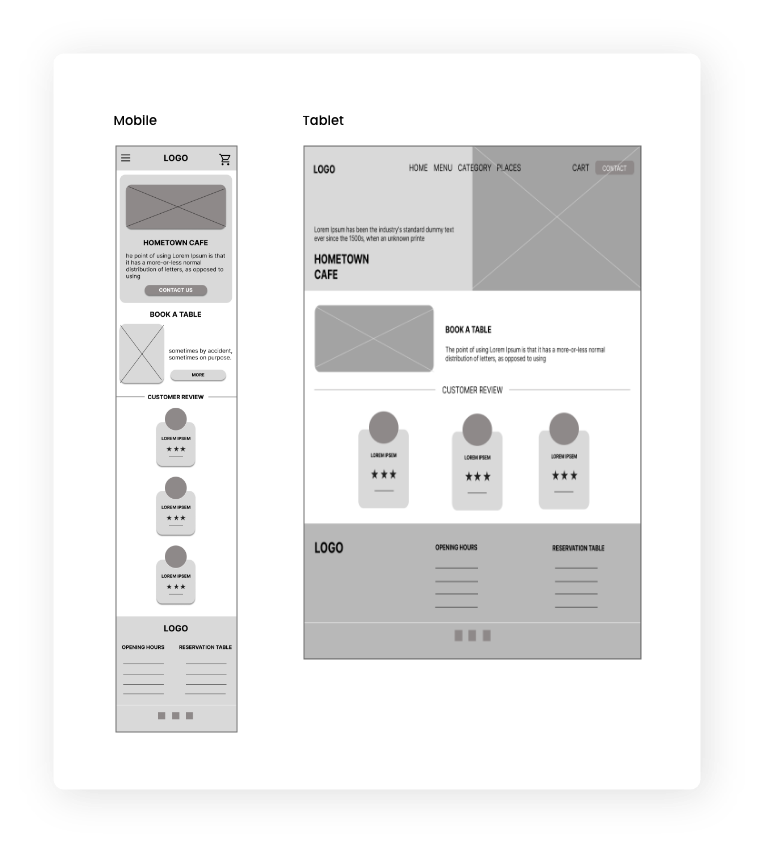
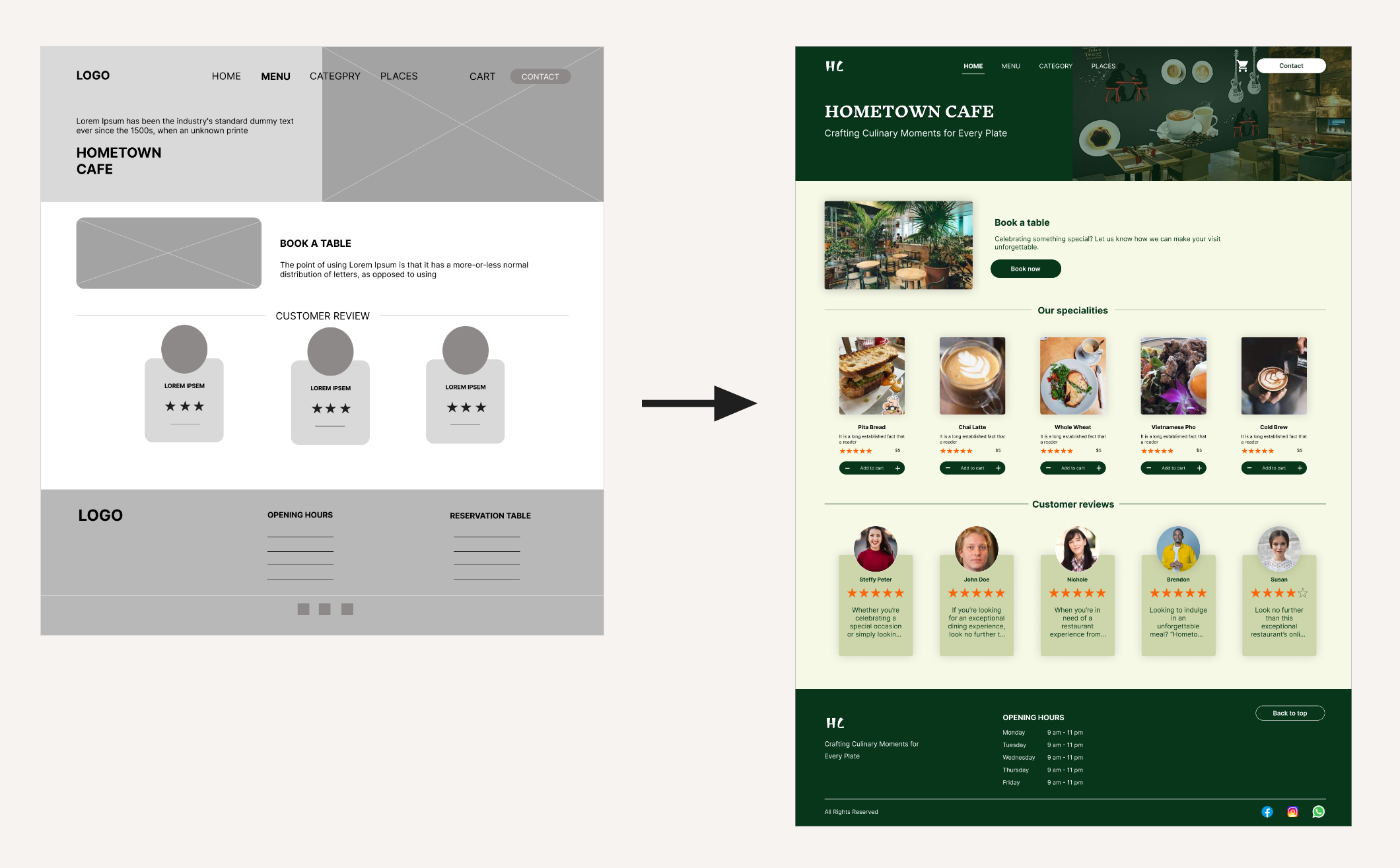
Moving from paper to digital wireframes made it easy to understand how the redesign could help address user pain points and improve the user experience. Prioritizing useful button locations and visual element placement on the home page was a key part of my strategy.
Digital wireframe
screen size variation(s)
Creating digital wireframes for different screen variations serves the purpose of ensuring a consistent user experience across various devices, making the interface adaptable and user-friendly.
Low-fidelity prototype
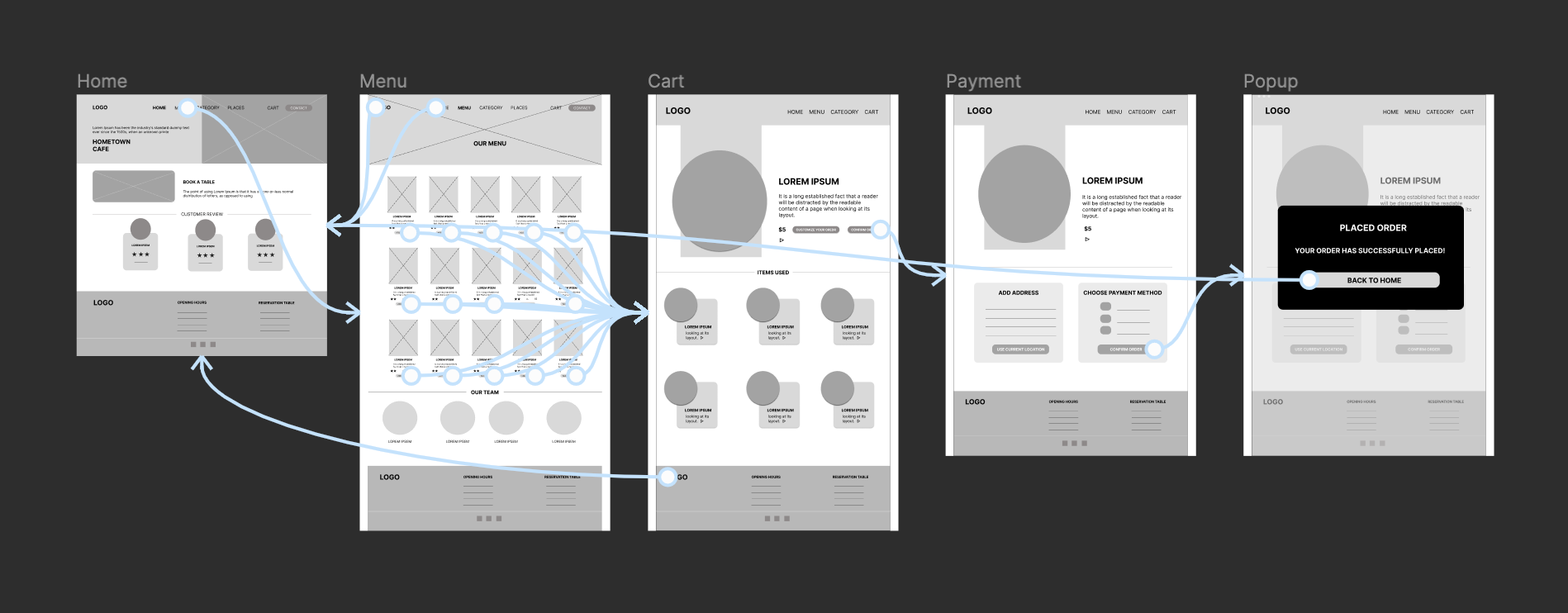
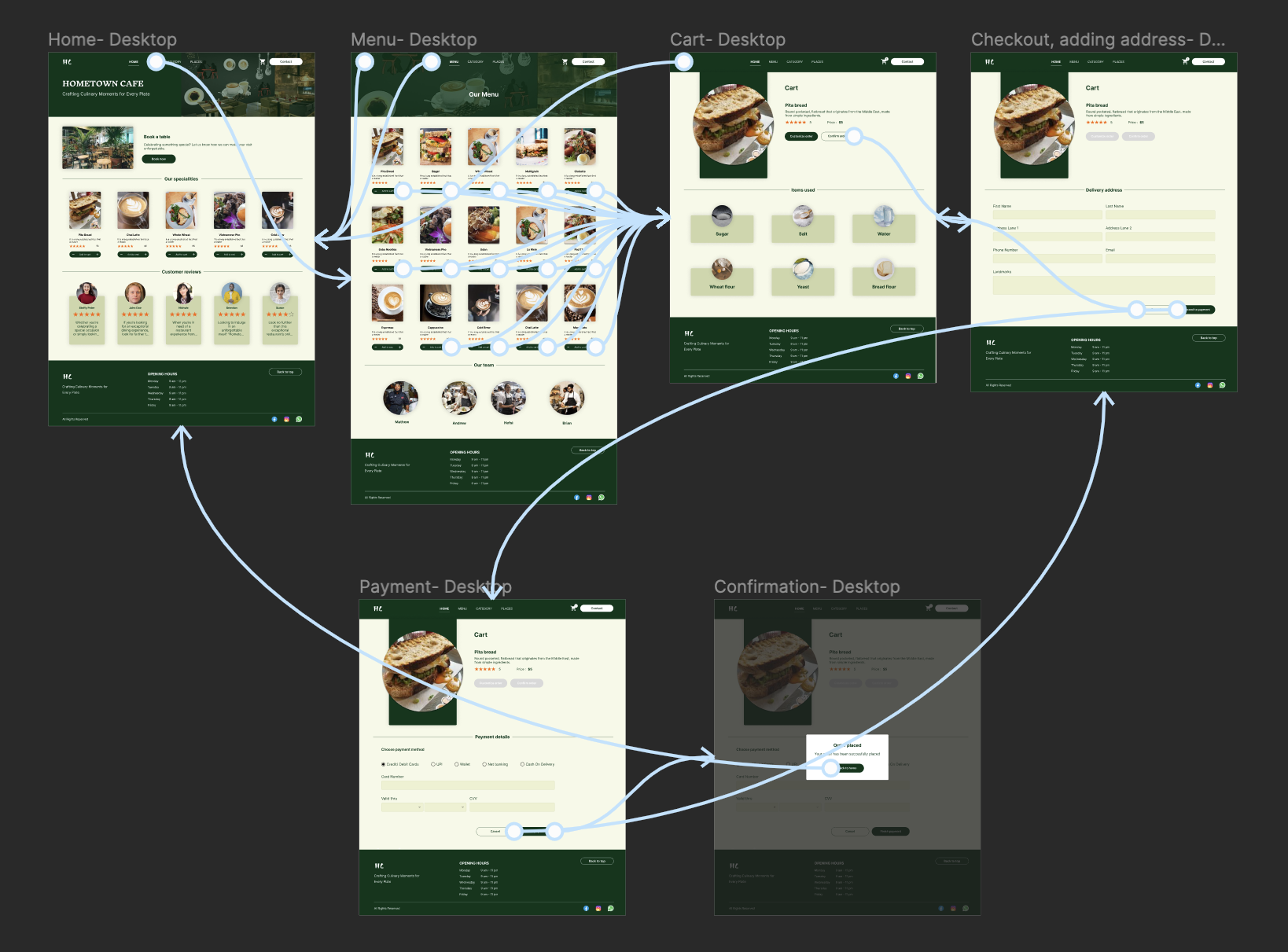
To create a low-fidelity prototype, I connected all of the screens involved in the primary user flow of adding an item to the cart and checking out.
Usability study: parameters
Study type
Unmoderated usability study
Location
United States, Remote
Participants
5 participants
Length
20- 30 minutes
Usability study: findings
Features
The hometown cafe website features an enticing menu, a cozy atmosphere, and online ordering for convenience.
User Interface
People prefer intuitive navigation.
Usability
People prefer easy design to add items to the cart without much hustle.
Refining the design
Mockups
High-fidelity prototype
Accessibility
Mockups
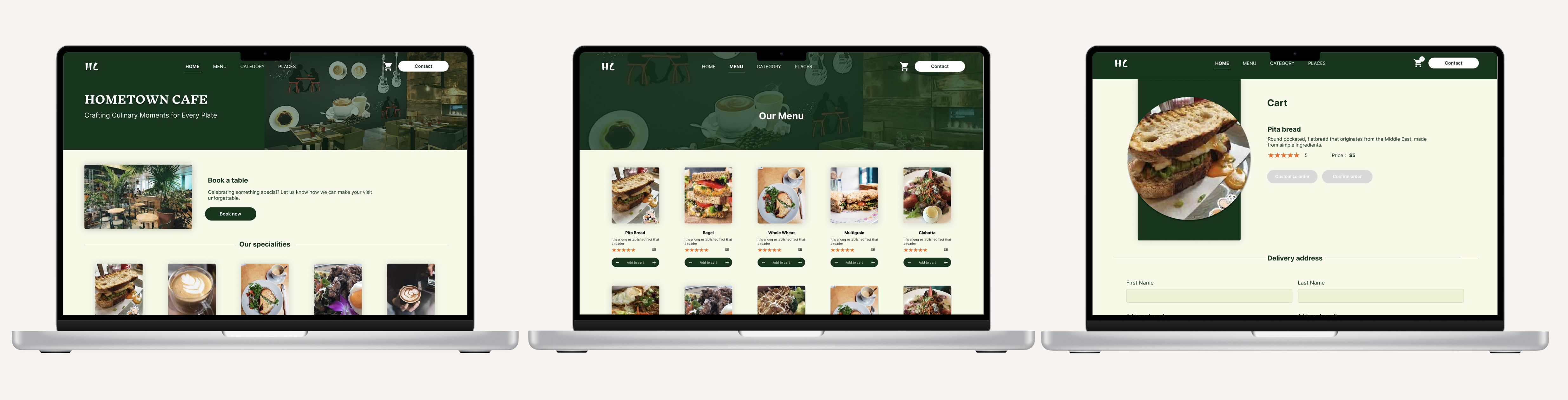
The home screen underwent design changes by adding an additional section which showcase the special items of the day in hometown cafe. This design change made the interface welcoming and helps users to find the highlights of the day.
Mockups
High-fidelity prototype
Accessibility
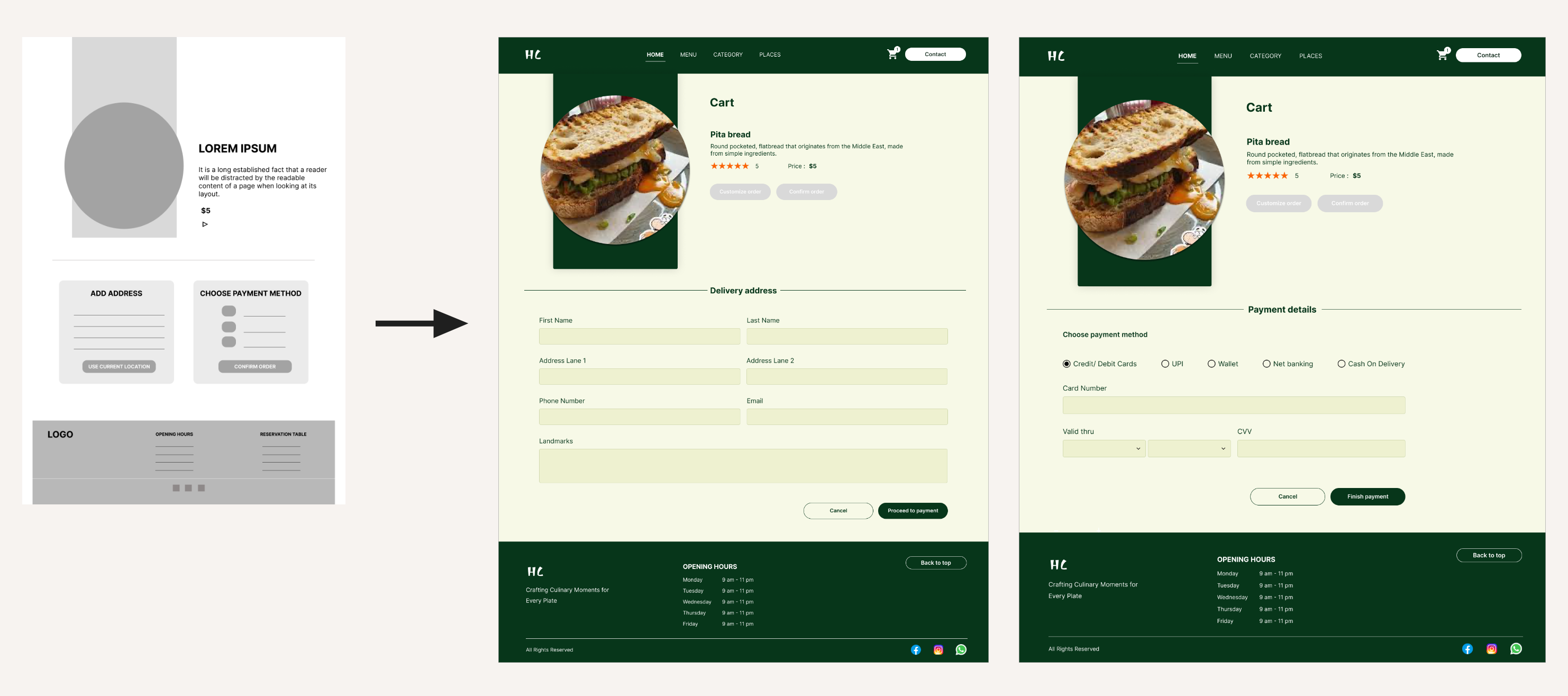
The check out screens of the website underwent design changes that involved splitting the payment process and additional procedures for a more user-friendly experience.
Key mockups
High-fidelity prototype
Furthering the usability study conducted, from intuitive navigation to visually pleasing layout and seamless ordering process, this high-fi prototype brings life to the hometown cafe website to meet the needs and preferences of the users.
I made the website to be responsive and adapts seamlessly to various screen sizes and devices.
Have chosen accessible fonts that is easy to read and differentiate between headings and descriptions.
A consistent and intuitive navigation structure.
Going forward
Takeaways
Next steps
Takeaways
Takeaways
Next steps
Impact
Hometown Cafe Website have a significant positive impact on users by providing convenience, information, engagement, and a strong online presence. The website designed and maintained to meet the needs and expectations of its target audience.
What I learned
While designing the Hometown Cafe Website, I learned that the first ideas for the app are only the beginning of the process. Usability studies and peer feedback influenced each iteration of the website's designs.
Next Steps
Conduct follow-up usability testing on the new website
Identify any additional areas of need and ideate on new features